
Playing bitmap texture animation in 3D Max (Image Sequence, ifl)
This tutorial will guide you through the simple steps for playing bitmap animation (a movie) using an image sequence and […]
This tutorial will guide you through the simple steps for playing bitmap animation (a movie) using an image sequence and […]

1)Add the image or video from which you want to remove noise to your composition. 2) Add the remove grain
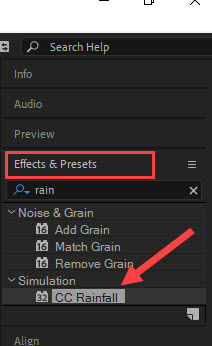
1) Create a new composition and add a background image. 2) Check Effects & Preset in the Window menu at
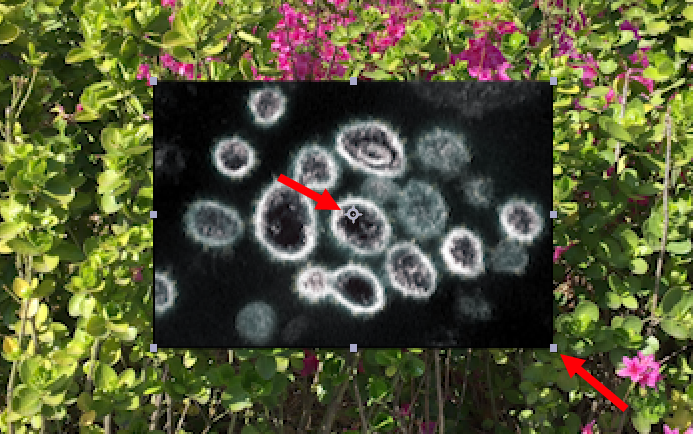
1)In the example below, you can see that the anchor points and bounding box of the selected image are missing.
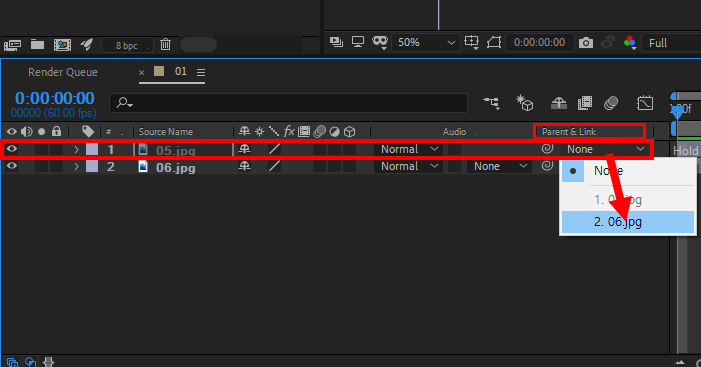
1) Create a new composition and add two images. 2) Set the parent&link of the layer you want to set
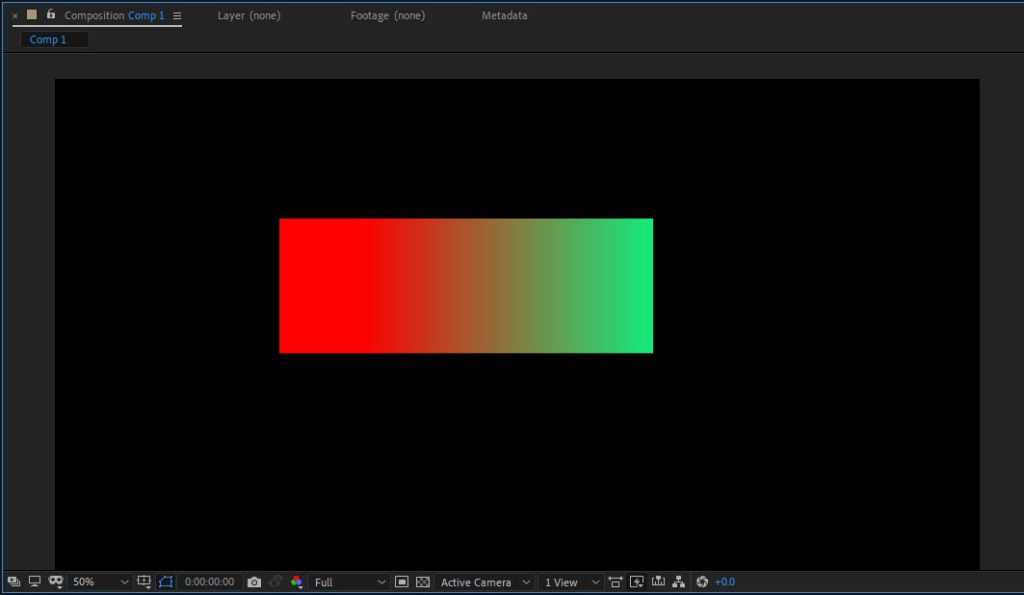
1) Select the shape tool from the toolbar at the top. 2) Click the place shown below (fill) to go
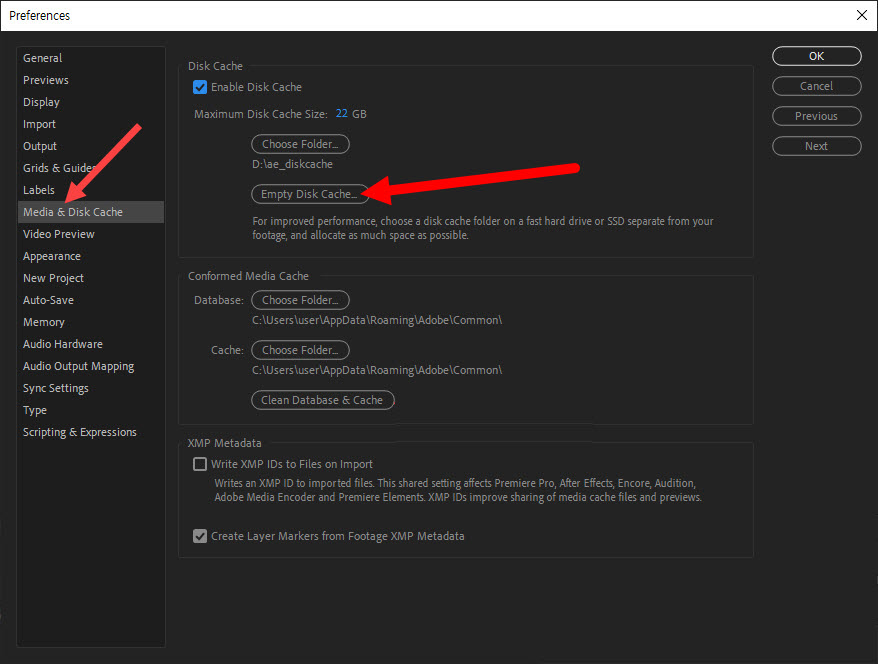
1) Go to Media & Disk Cache in Preferences from the Edit menu at the top. 2) Click Empty Disk
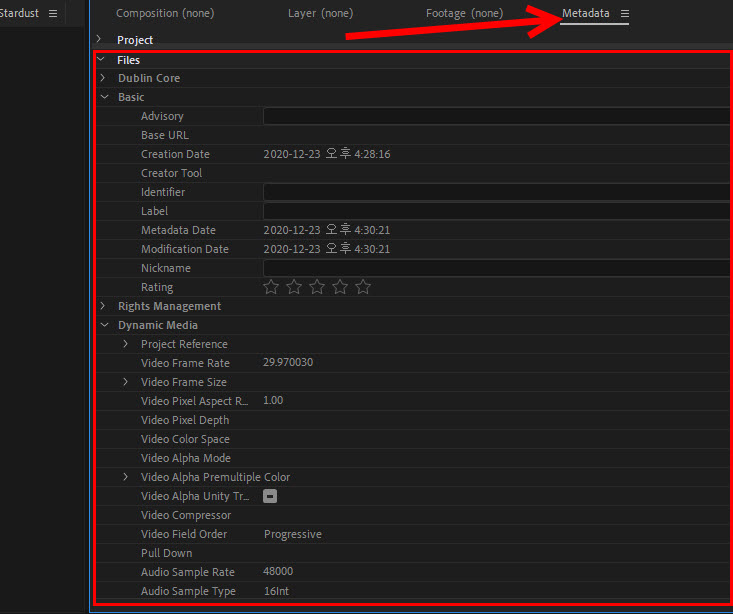
1) Select a video in the Project panel to display a preview and video information. 2) To check the metadata
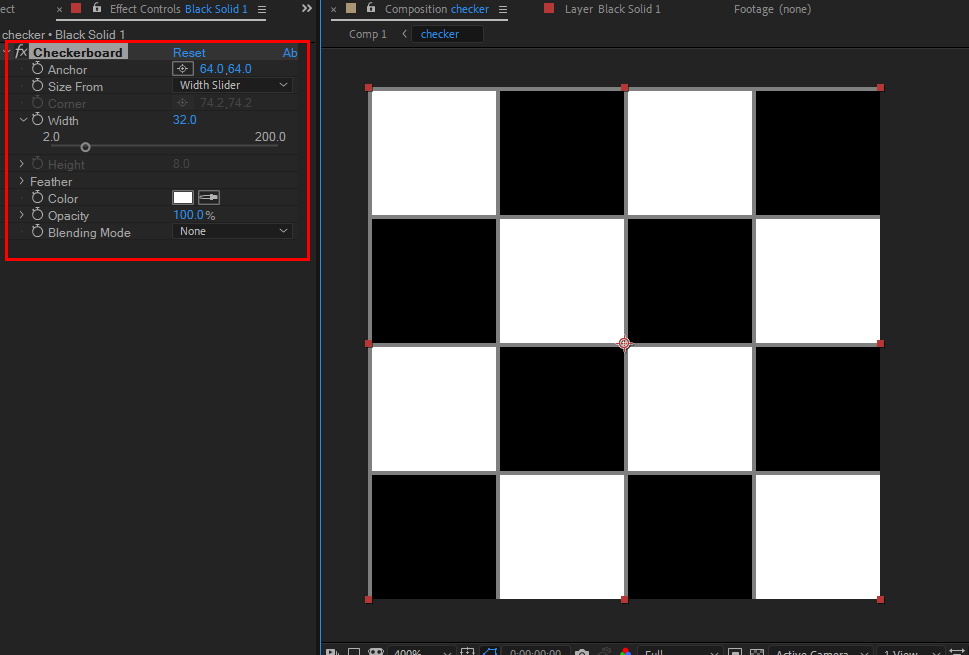
1) Create a composition with a 1:1 ratio. 2) Add a solid layer to the composition to be used for

1) Create a new text layer. 2) Enter your text. 3) Check character in the window menu at the top.