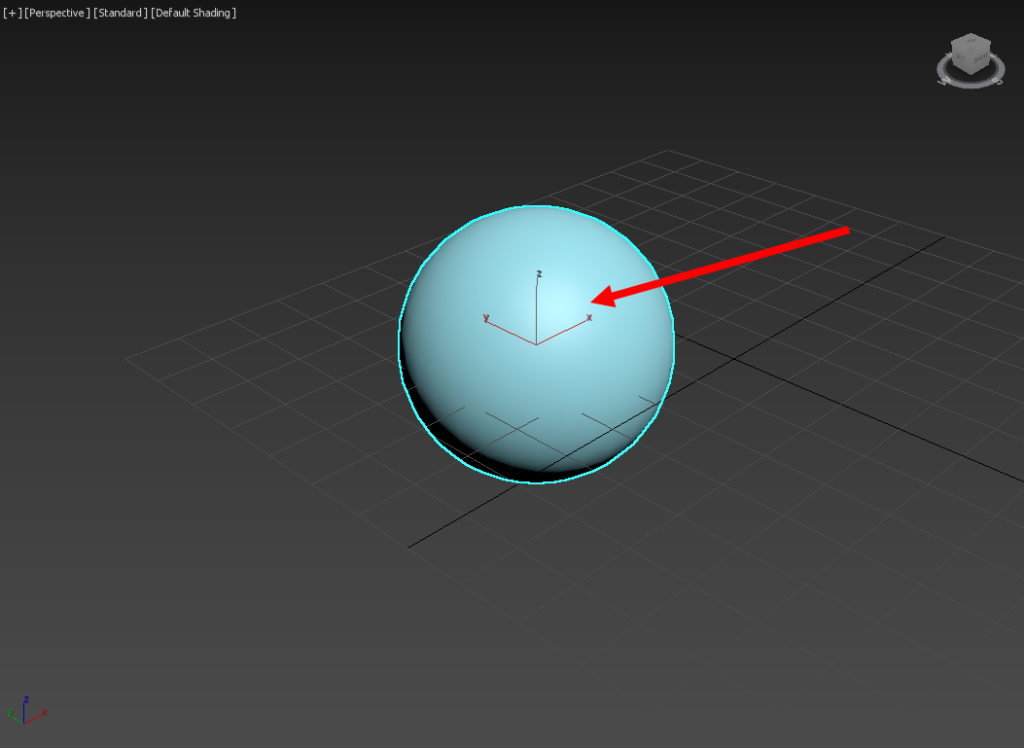
1) The gizmo for the selected object in the current viewport is not displayed properly.
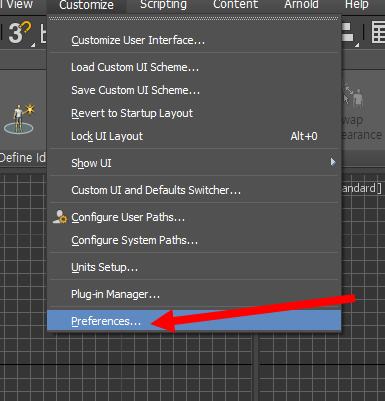
2) Go to preferences in the customize menu at the top.
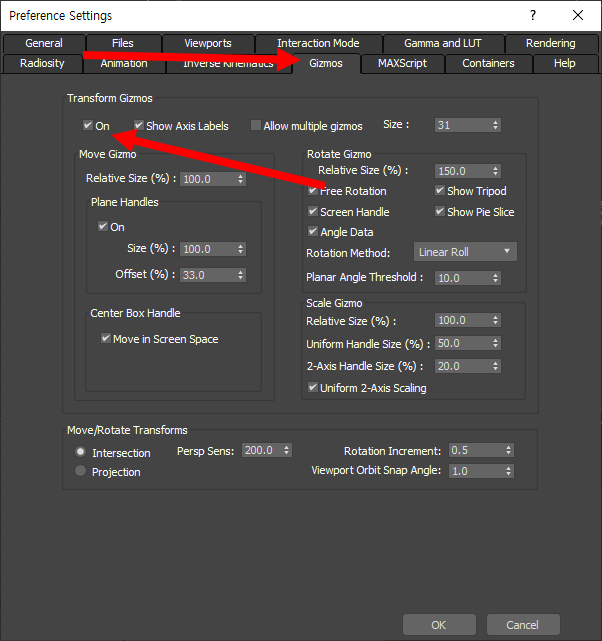
3) Check that On is checked for transform gizmos in the gizmos tab.
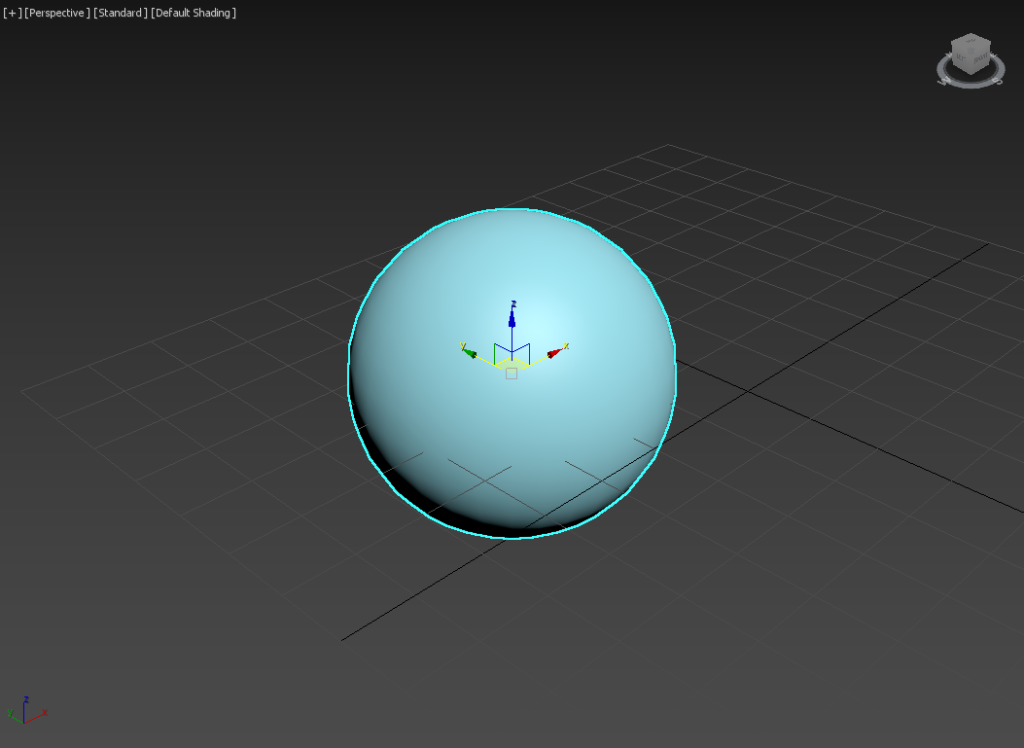
4) You can see that the gizmo is displayed properly.
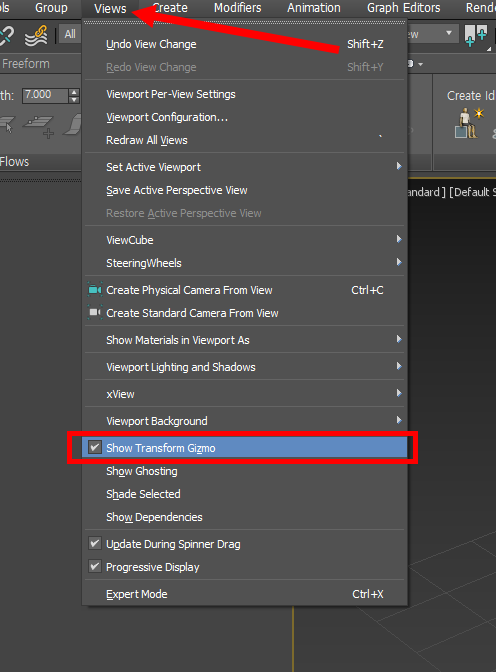
5)In the views menu at the top, make sure show transform gizmo is checked.
![[3D Max]Solving the problem of uneven Shell thickness(Straighten Corners)](https://inspired-learn-create.com/wp-content/uploads/2025/06/2025-02-26_12-24-03-1024x697.png)
![[3D Max] Shortcut tips for use in the viewport quad menu](https://inspired-learn-create.com/wp-content/uploads/2025/06/2025-01-25_15-49-33.png)
![[3D Max] How to set Mouse Wheel Zoom Sensitivity](https://inspired-learn-create.com/wp-content/uploads/2025/06/2025-01-25_15-38-06.png)