Change the color of a solid layer in After Effects
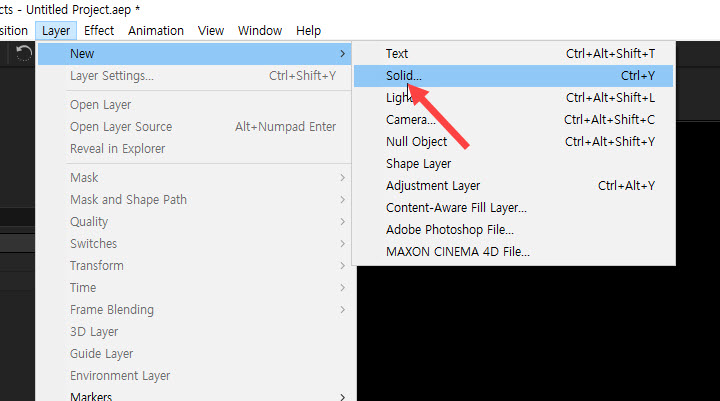
1) To create a solid layer, select Solid from the Layer menu (New > Solid)
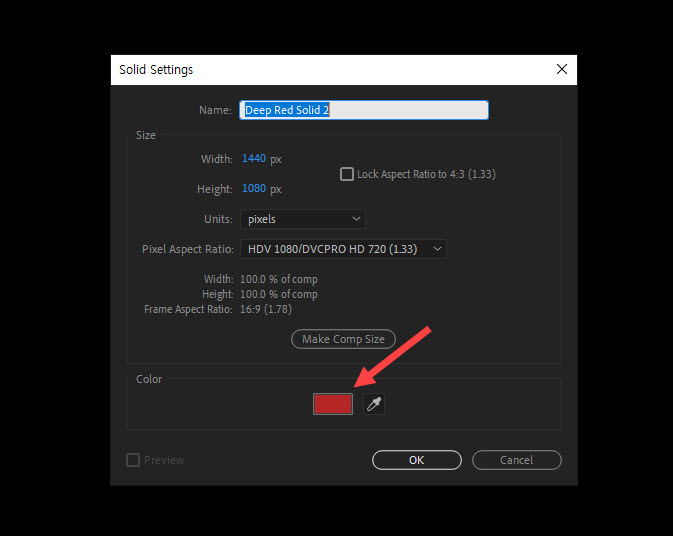
2) Select a color of the solid layer and confirm.
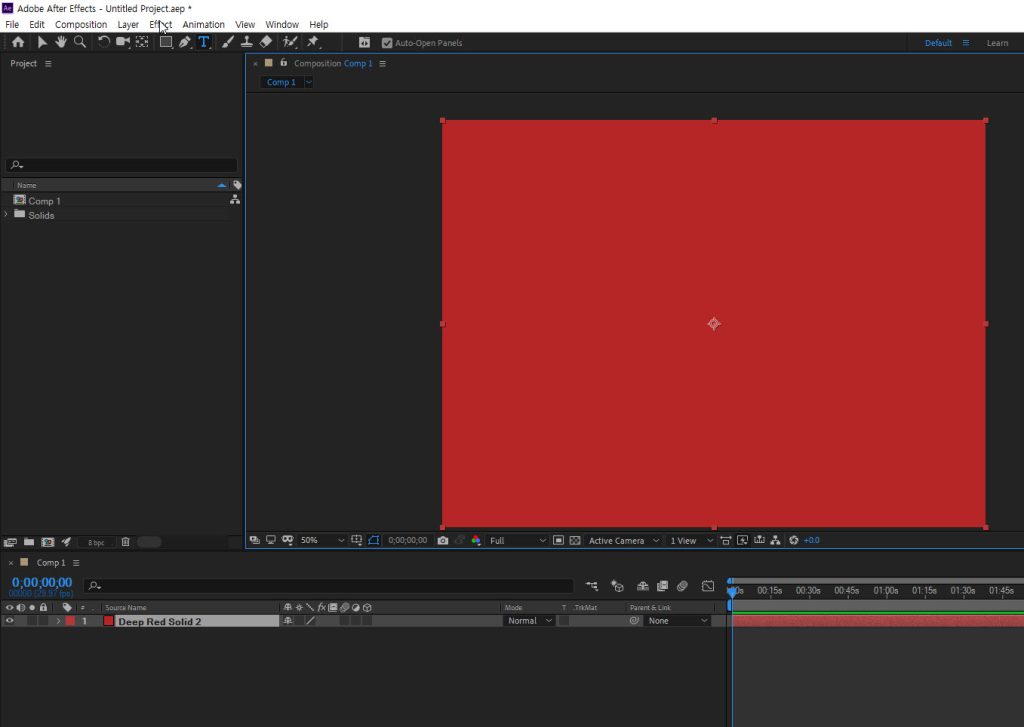
3)You can see that a solid layer has been created with the selected color as the background.
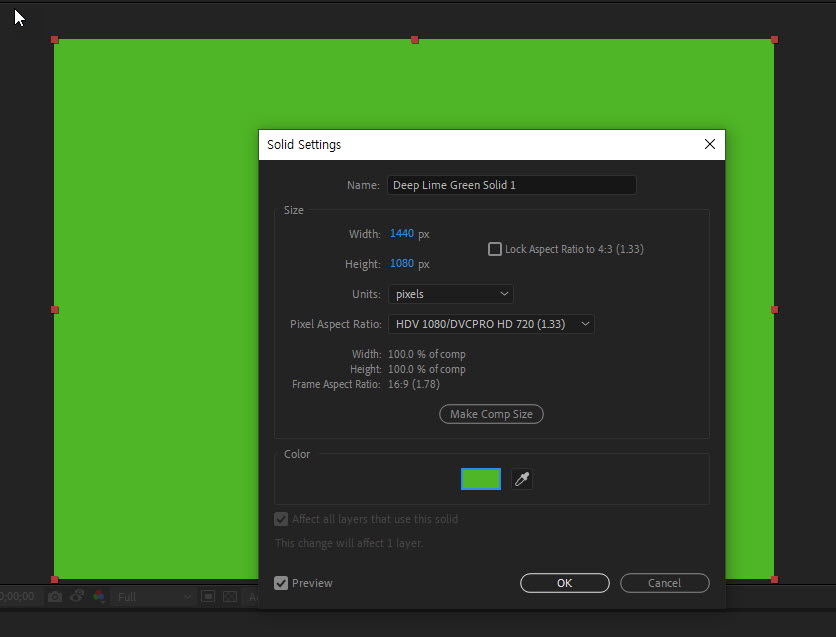
4) To reset the color of a solid layer, select the layer and go to solid settings from the layer menu
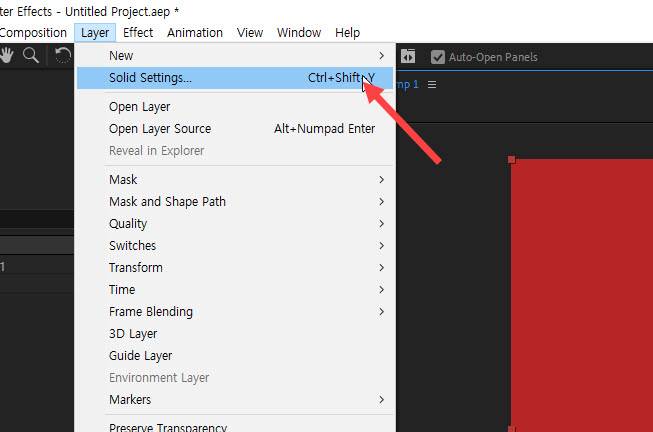
5) Reselect a color of the solid layer and confirm.
![[After Effects] How to change user language to English](https://inspired-learn-create.com/wp-content/uploads/2025/06/2019-08-29_11-01-19.png)
![[After Effects] How to save a frame as an image file](https://inspired-learn-create.com/wp-content/uploads/2025/06/2020-10-30_21-37-54.png)
![[After Effects] Reload missing source images from your project](https://inspired-learn-create.com/wp-content/uploads/2025/06/2020-02-26_14-04-19.png)