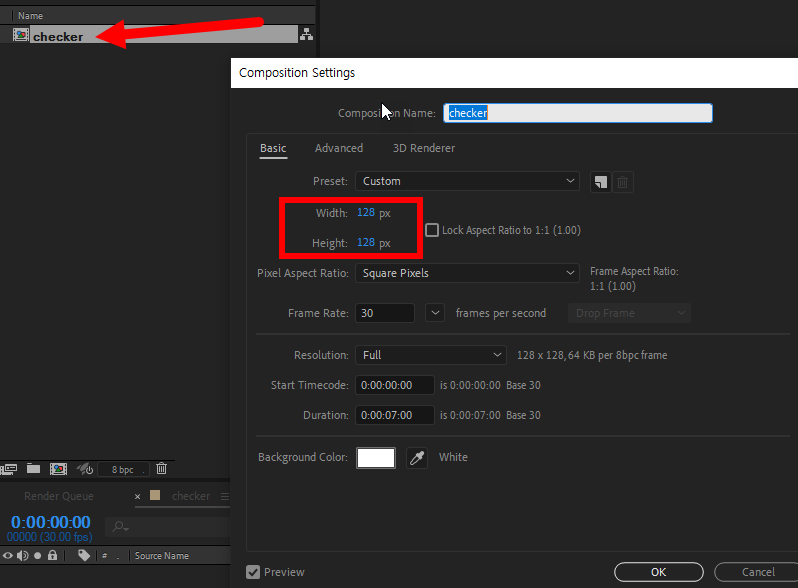
1) Create a composition with a 1:1 ratio.
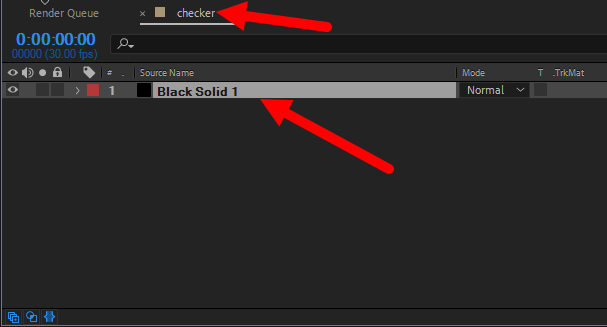
2) Add a solid layer to the composition to be used for tiling.
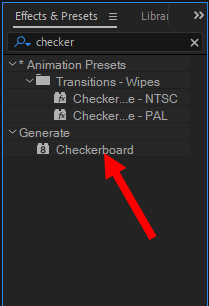
3) Add a checkerboard effect to the solid layer.
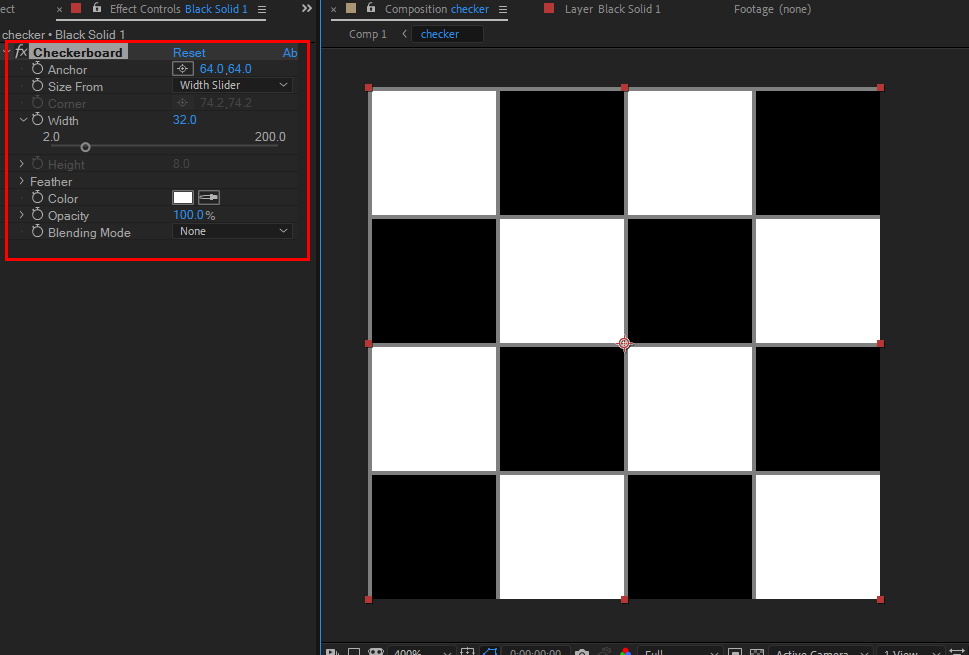
4) Change the properties of the checkerboard to create a checker texture as shown below.
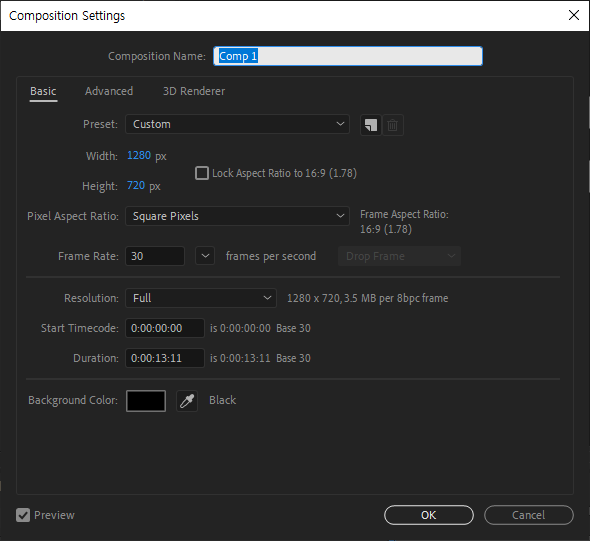
5) Create a new composition(comp 1) and add the previously created composition (checker).


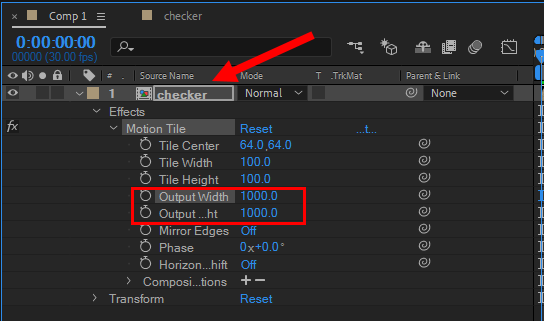
5) Add a motion tile effect to the checker composition.

6) Increase the output width and output height values to complete the image tile.

![[After Effects] How to change user language to English](https://inspired-learn-create.com/wp-content/uploads/2025/06/2019-08-29_11-01-19.png)
![[After Effects] How to save a frame as an image file](https://inspired-learn-create.com/wp-content/uploads/2025/06/2020-10-30_21-37-54.png)
![[After Effects] Changing the Color of a Solid Layer](https://inspired-learn-create.com/wp-content/uploads/2025/06/2020-02-03_10-17-32.jpg)