How to duplicate an entire document, including all images and layers you are currently working on
1) Prepare the document you are working on.

2) Select duplicate from the image menu at the top for the working document.

2) Uncheck duplicate merged layers only and set the name of the newly copied document and confirm
(If you check this option, all visible layers of the working document will be merged and duplicated . This option is very useful when you want to save or extract only the merged preview state)
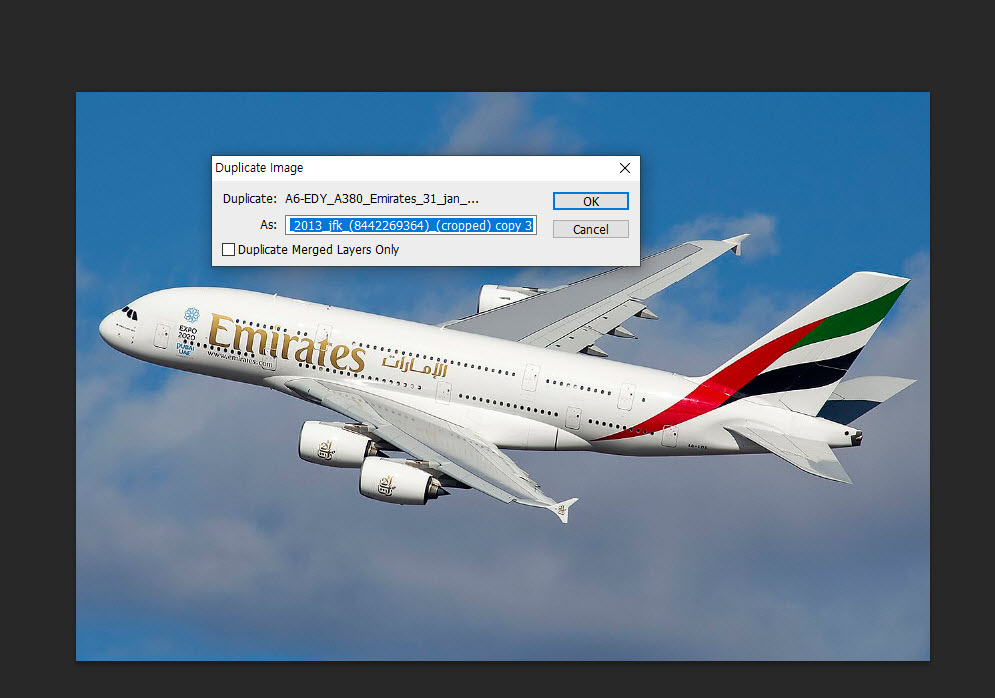
3) You can check the new copied document at the top of the canvas.

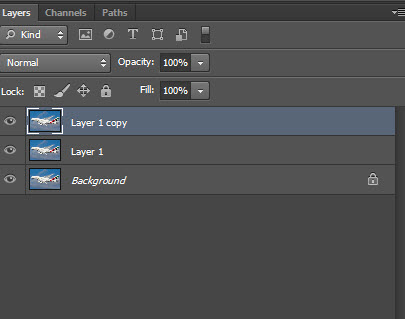
4) You can also check that all layers of the copied document are preserved.
![[Photoshop] How to remove white outlines from edges of images(Defringe)](https://inspired-learn-create.com/wp-content/uploads/2025/06/2019-05-17_23-30-43.jpg)
![[Photoshop] How to change text to uppercase or lowercase](https://inspired-learn-create.com/wp-content/uploads/2025/06/2021-08-03_18-12-23.jpg)
![[Photoshop] Collapse or expand all Groups in the Layers panel using shortcuts](https://inspired-learn-create.com/wp-content/uploads/2025/06/2021-08-05_13-46-57.png)