1)Place objects in the scene.

2) Select Target Direct light from Standard in Light.

3) Create a light object.

4) Render

5) Check Projector Map in Advanced Effects of the Target Direct light object and reference the texture map to be used for lighting.

6) Render and check. You can see that the texture map is used for the lighting.

7) To set the intensity of the lighting and texture, enter the Multiplier value in Intensity/Color/Attenuation.

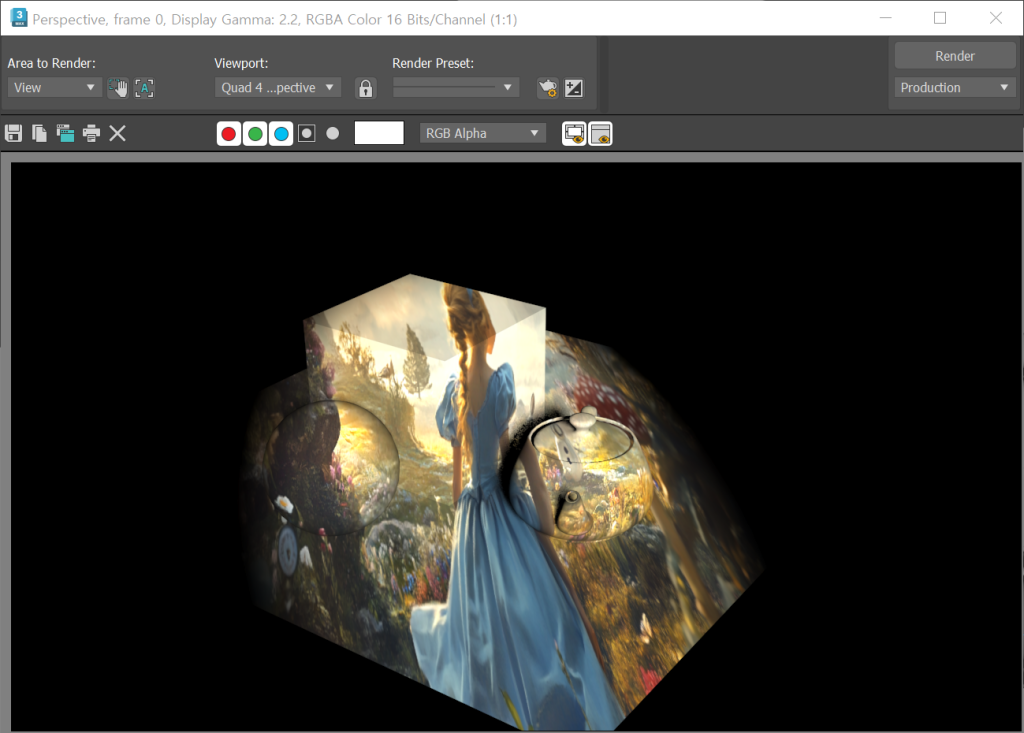
8) To reflect only the ambient, excluding the shadow and specular, check Ambient Only in Advanced Effects.


![[3D Max]Solving the problem of uneven Shell thickness(Straighten Corners)](https://inspired-learn-create.com/wp-content/uploads/2025/06/2025-02-26_12-24-03-1024x697.png)
![[3D Max] Shortcut tips for use in the viewport quad menu](https://inspired-learn-create.com/wp-content/uploads/2025/06/2025-01-25_15-49-33.png)
![[3D Max] How to set Mouse Wheel Zoom Sensitivity](https://inspired-learn-create.com/wp-content/uploads/2025/06/2025-01-25_15-38-06.png)