1)You can check all media currently in use or not in WordPress in the Media Library.
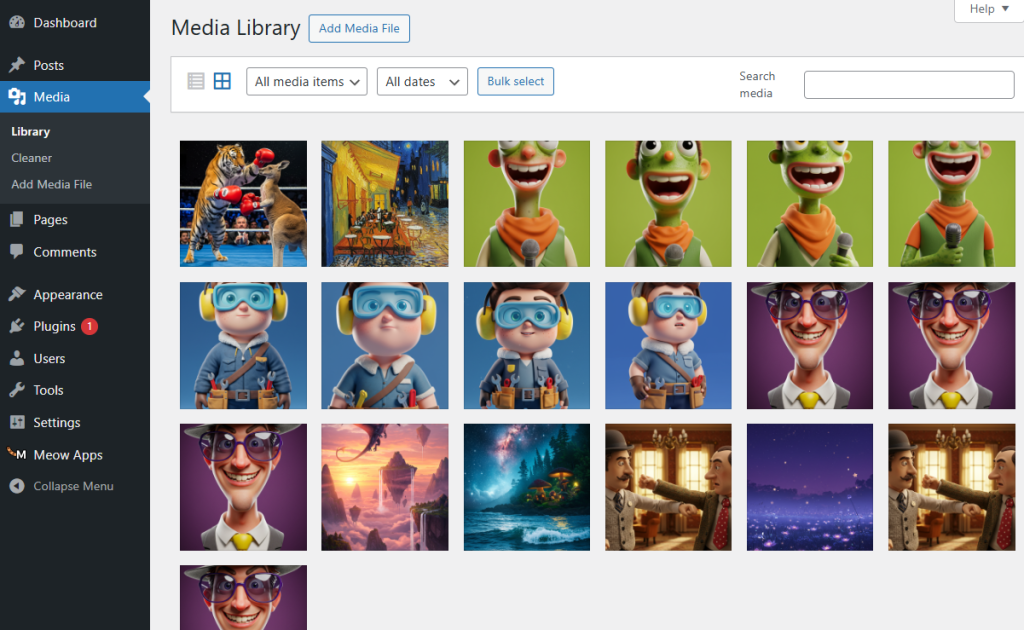
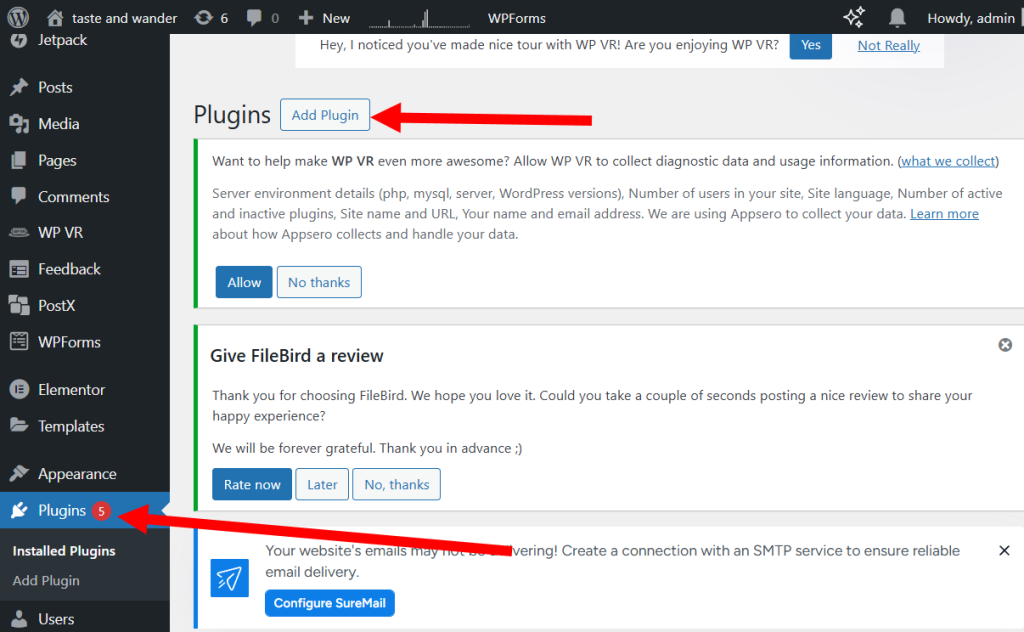
2)Select add plugin from the plugin menu (plugins) in the dashboard.
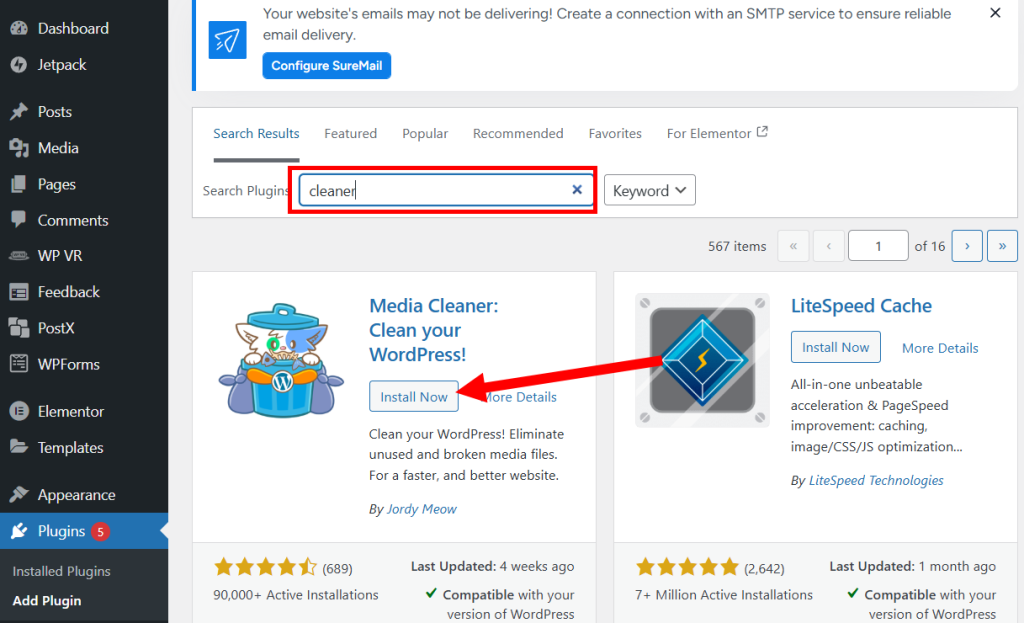
3)Search, install, and activate the Media Cleaner plugin (install now, activate)
4)Go to the newly added Media Cleaner menu on the left side of the dashboard.
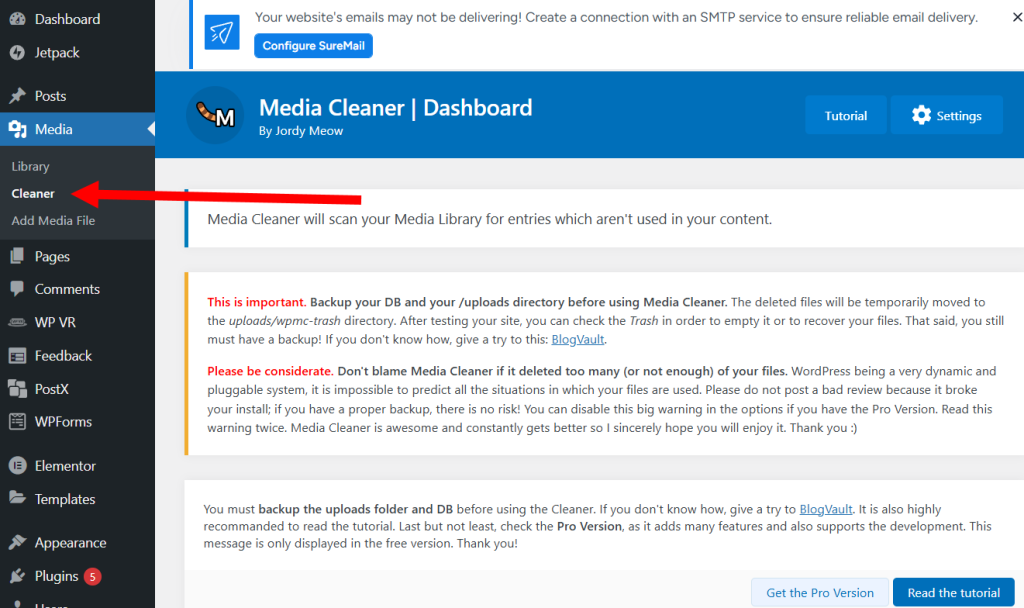
5)Click scan to scan and display a list of images that are not currently used on the site but exist in the Media Library.
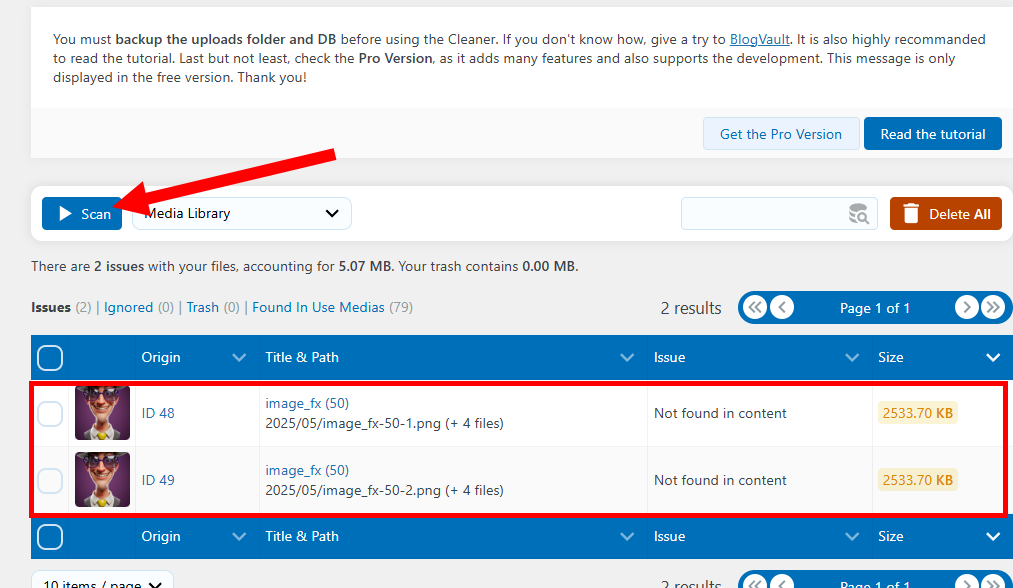
6)Select an item and click delete to remove the image from the Media Library.

![[WordPress]Sign up for Fastcomet and set up WordPress](https://inspired-learn-create.com/wp-content/uploads/2025/06/2025-01-26_15-28-08-1024x588.jpg)
![[WordPress] Setting Up Domain SSL (Auto SSL) on Fastcomet Web Hosting Site](https://inspired-learn-create.com/wp-content/uploads/2025/06/2025-01-26_17-34-40-1024x611.jpg)