Currently, the Let’s Encrypt plugin in cPanel is discontinued and unavailable, and all Let’s Encrypt certificates are handled by AutoSSL.
https://www.fastcomet.com/tutorials/security/lets-encrypt-certificate-management
AutoSSL
https://www.fastcomet.com/blog/exploring-autossl-as-fleetssl-retires
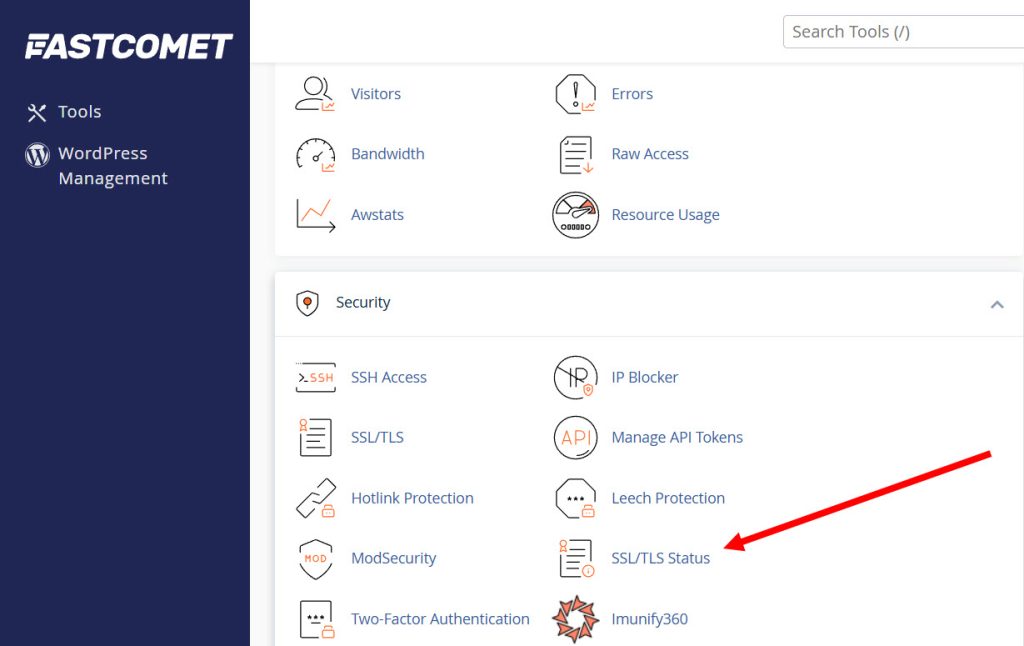
1) Go to Security’s SSL/TLS Status in Fastcomet’s cPanel admin page.
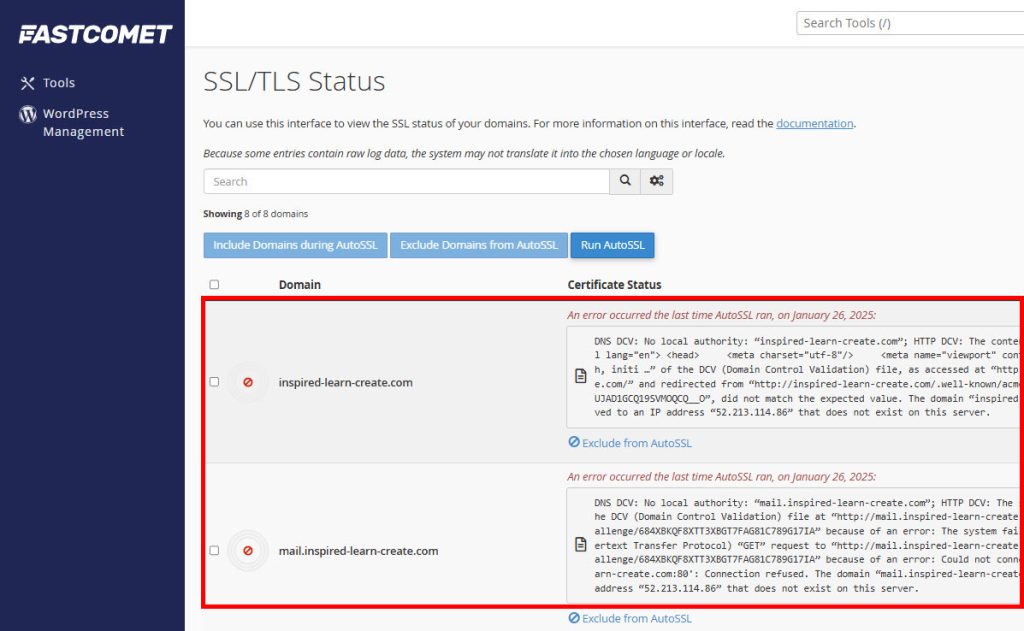
2) You can check all domains and subdomains hosted on your cPanel account. It currently displays an error in the certificate status of the domain.
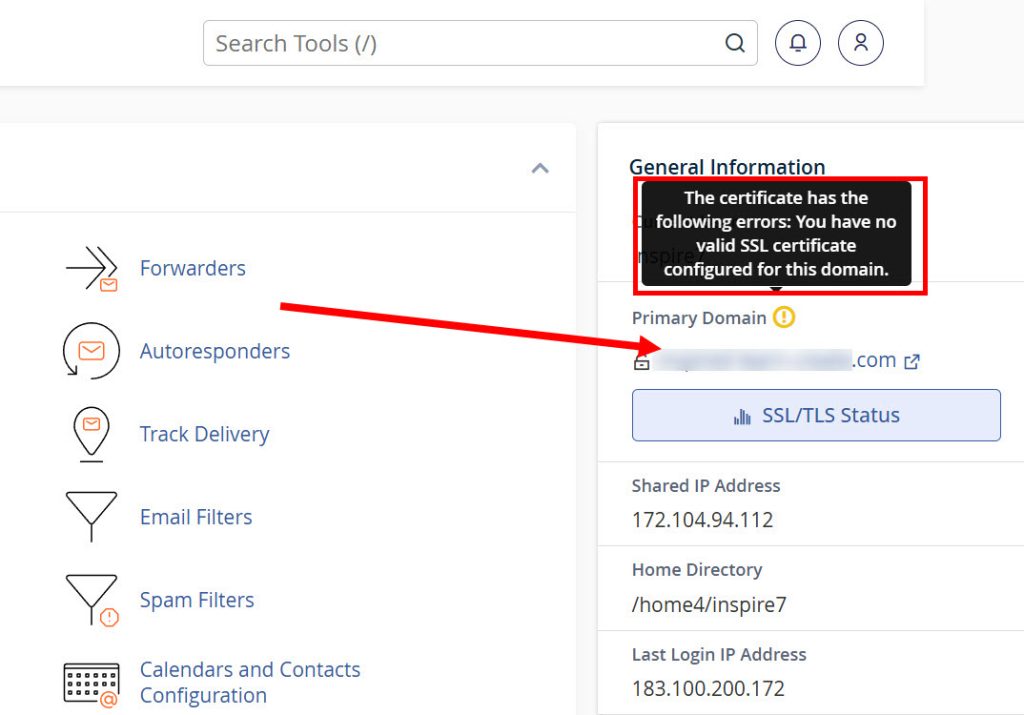
3) It displays the following in the upper right corner of the cPanel admin page:
the certificate has the following errors; you have no valid SSL certifiate configured for this domain
(There is no valid SSL certificate configured for this domain.)
Go to Domains and Sites.
4) You can check if the site is pending email verification (pending validatin)
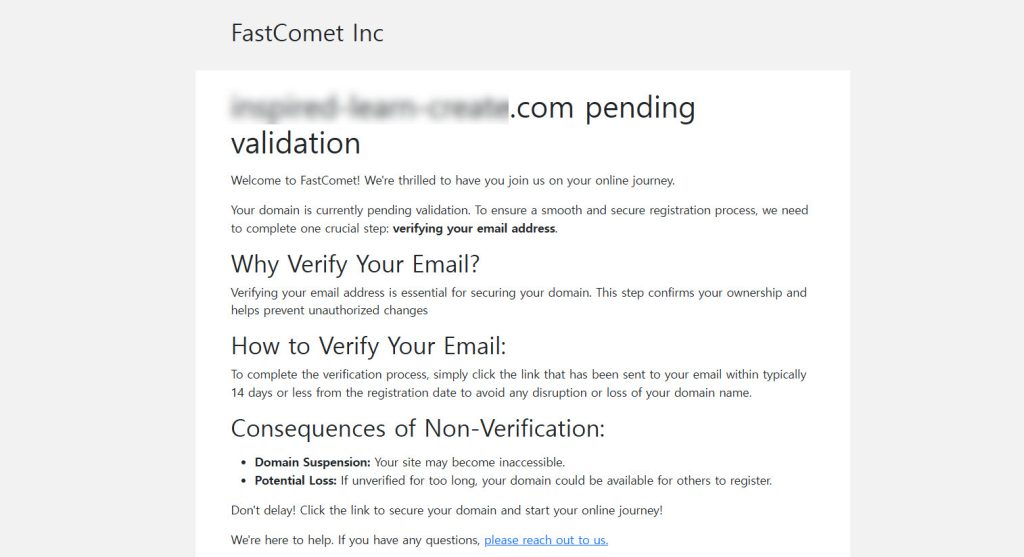
5) Check your email and go to the linked site (If you can’t check your email, check your spam mailbox)
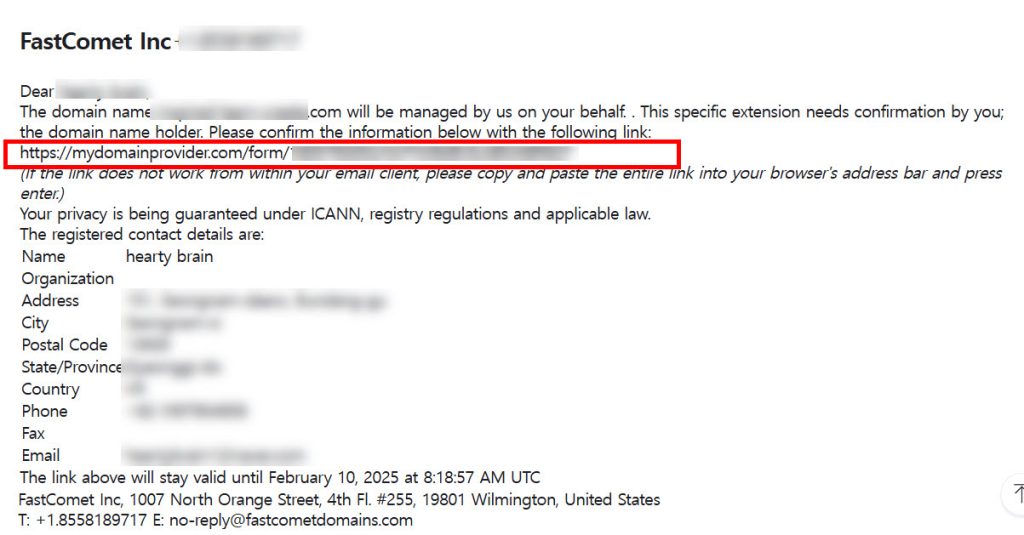
6) Check your contact details and agree to and submit the user agreement.
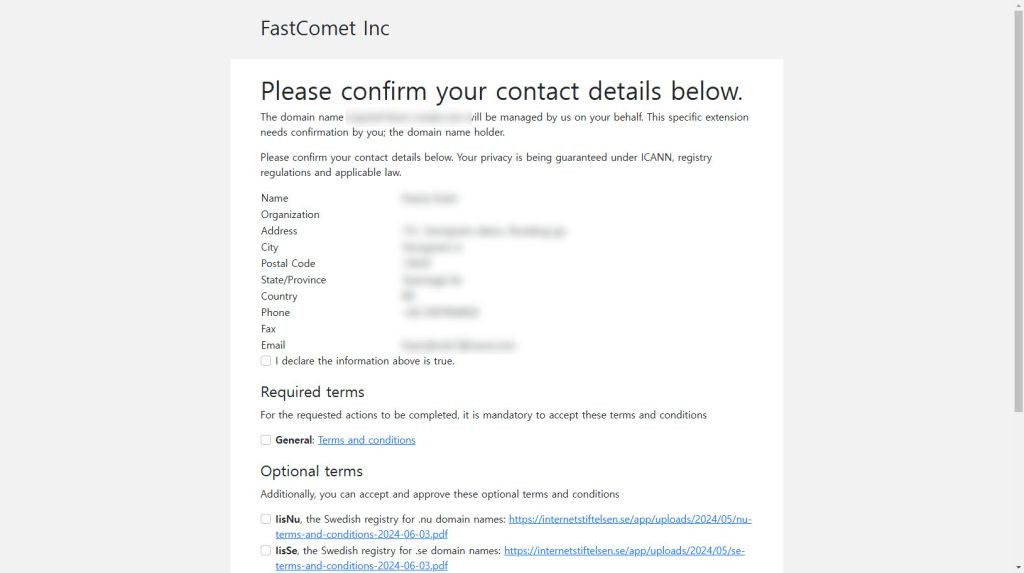
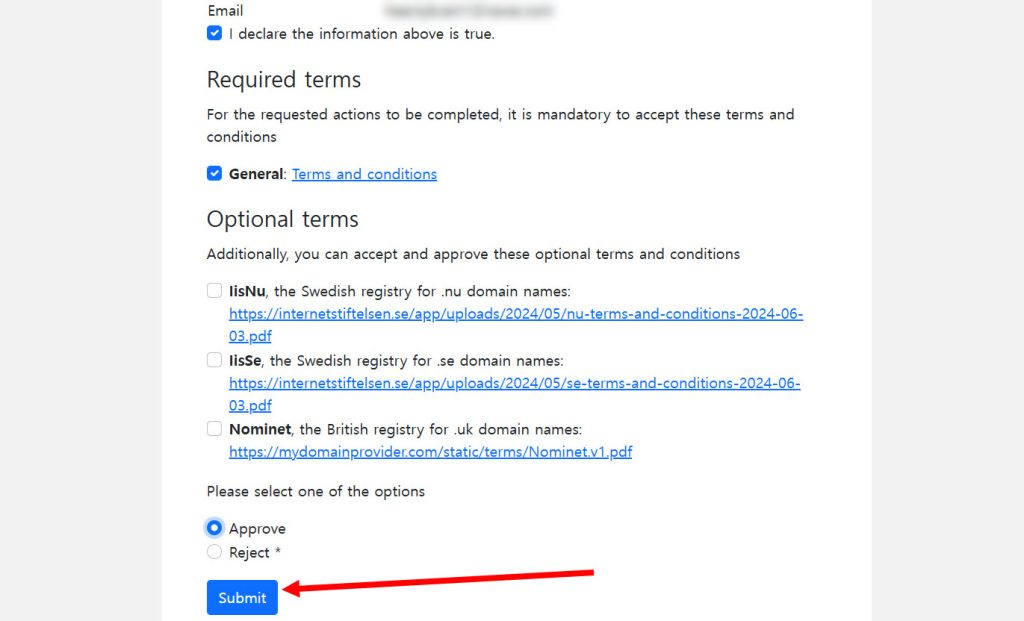
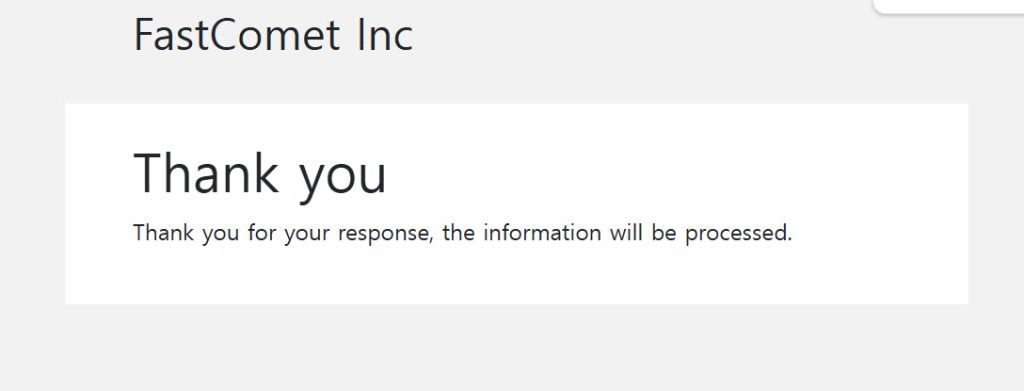
7) You can check that AutoSSL domain verification is complete in SSL/TLS Status (Auto SSL Domain Vlidated)

8) You can normally access the WordPress site of the domain (If you can’t access it, clear your internet cache and reconnect)
9) If you have any additional SSL settings problems, you can ask and answer questions through real-time chat on the site below.
https://www.fastcomet.com/contacts
![[WordPress]Sign up for Fastcomet and set up WordPress](https://inspired-learn-create.com/wp-content/uploads/2025/06/2025-01-26_15-28-08-1024x588.jpg)
![[WordPress]Creating a WordPress.com user account (sign up, log in, email address verification)](https://inspired-learn-create.com/wp-content/uploads/2025/06/2025-05-13_21-19-02-1024x619.png)