Difference between WordPress.com account and wp-admin account
WordPress.com account – Email address-based account for managing multiple WordPress sites, using services such as Jetpack, and using the integrated dashboard
wp-admin account – Administrator account provided when installing a standalone WordPress site on web hosting, used to operate the site
wp-admin account
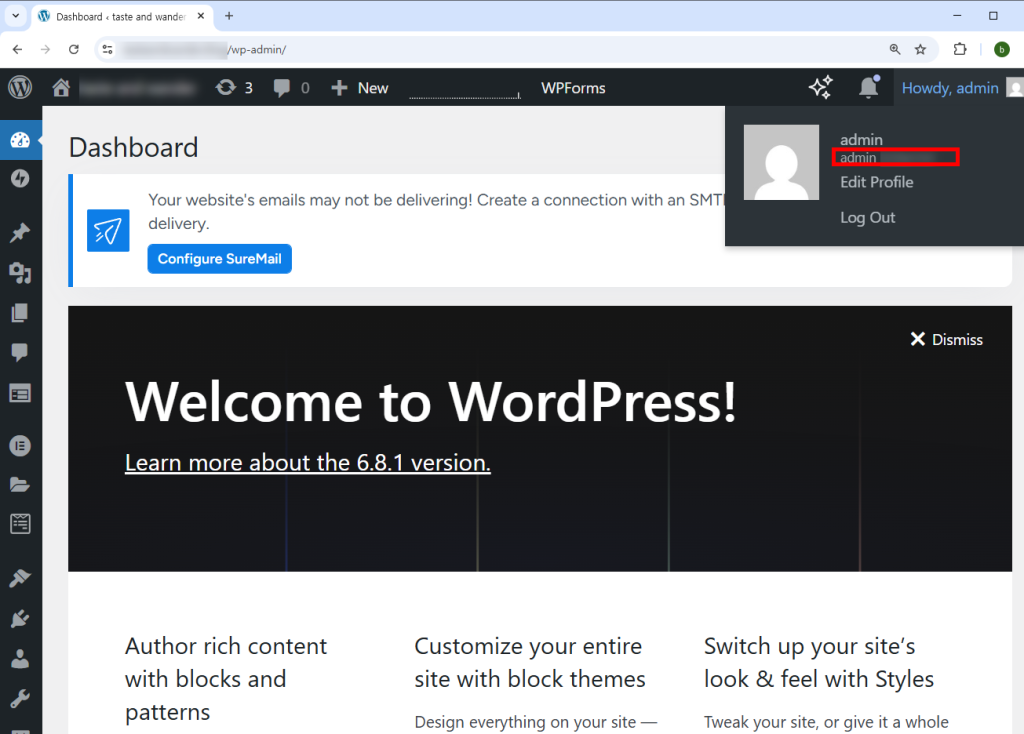
1) You can check the administrator account (wp-admin) currently logged in to the site in the upper right corner of the WordPress site dashboard below.
WordPress.com account
2) To create a WordPress account, create an account on the WordPress.com website below and log in.
https://wordpress.com/setup/onboarding/user
https://wordpress.com/log-in/

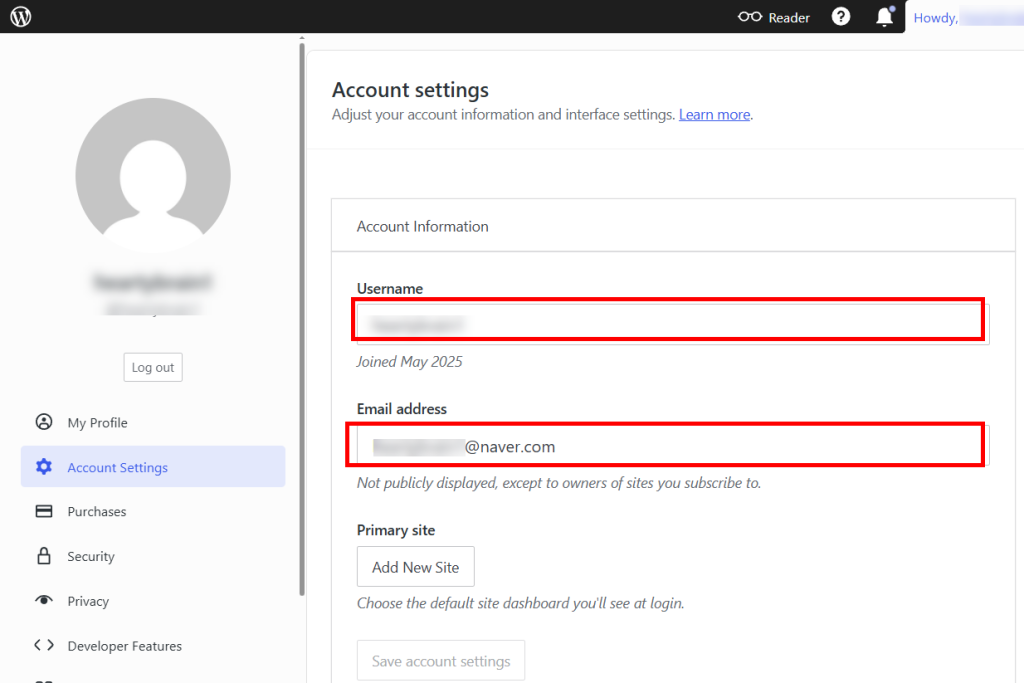
3) You can check the account and email address you used to sign up for WordPress in the Account Settings menu.
https://wordpress.com/me/account
Setting a WordPress.com user account password
https://inspired-learn-create.com/wordpresslog-in-using-a-password-in-the-wordpress-mobile-app
![[WordPress]Sign up for Fastcomet and set up WordPress](https://inspired-learn-create.com/wp-content/uploads/2025/06/2025-01-26_15-28-08-1024x588.jpg)
![[WordPress] Setting Up Domain SSL (Auto SSL) on Fastcomet Web Hosting Site](https://inspired-learn-create.com/wp-content/uploads/2025/06/2025-01-26_17-34-40-1024x611.jpg)