Jetpack is an official plugin developed by Automattic, the parent company of WordPress, and provides useful functions for site security, performance, analysis, statistics, marketing, etc. for free by linking with a WordPress.com account.
1) Go to the plugins menu on the left side of the WordPress site admin page and search and install the jetpack plugin (install now)
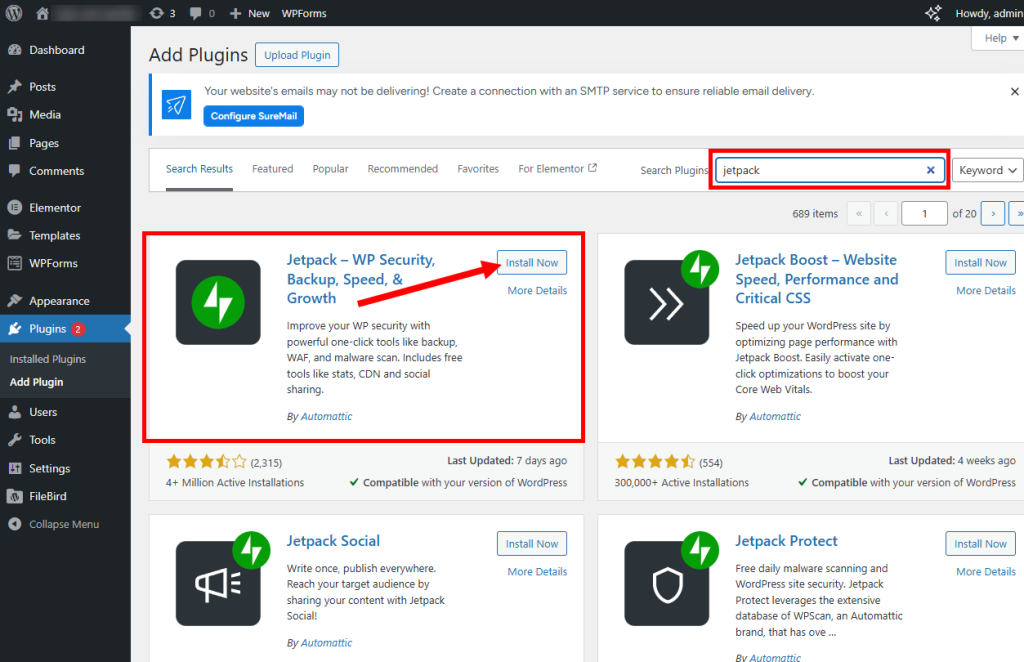
2) Activate the installed jetpack plugin (activate)

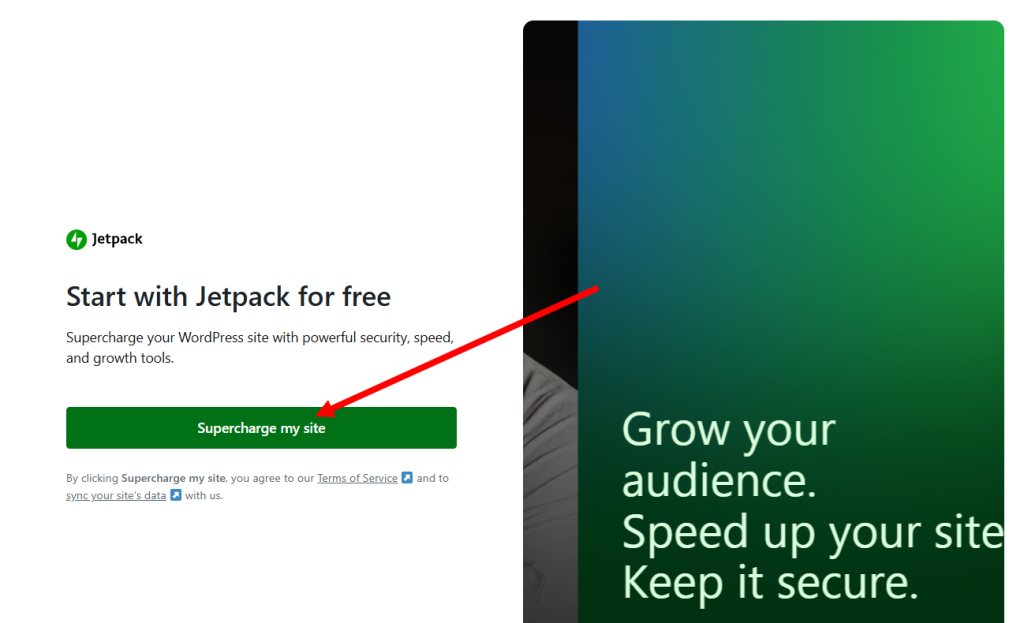
3) Click supercharge my site on the newly opened page.
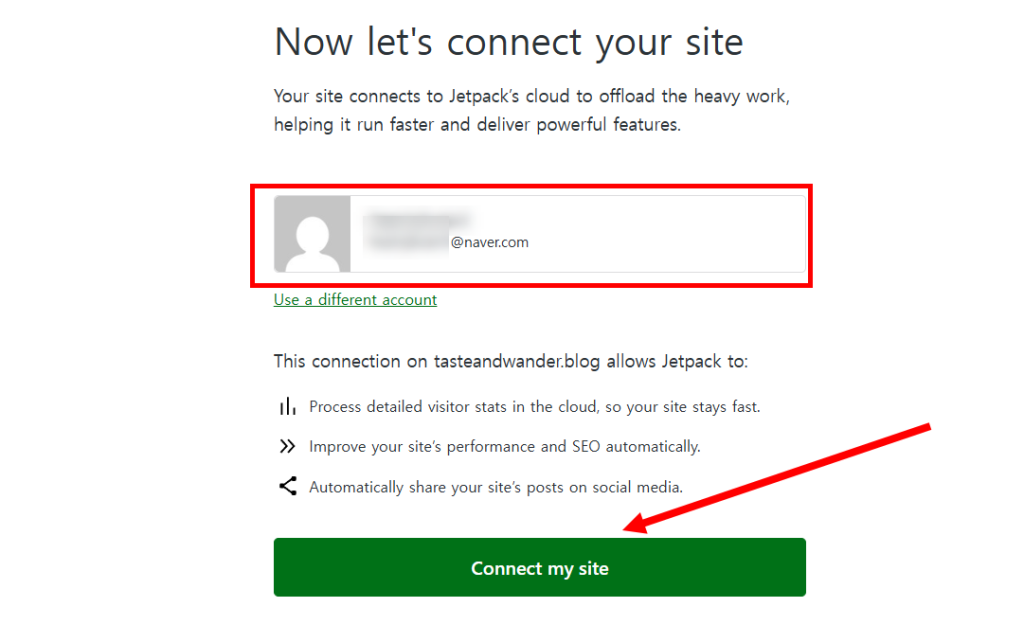
4) Select the WordPress (WordPress.com) account you want to connect to the site and click connect my site.
Create a WordPress (WordPress.com) user account
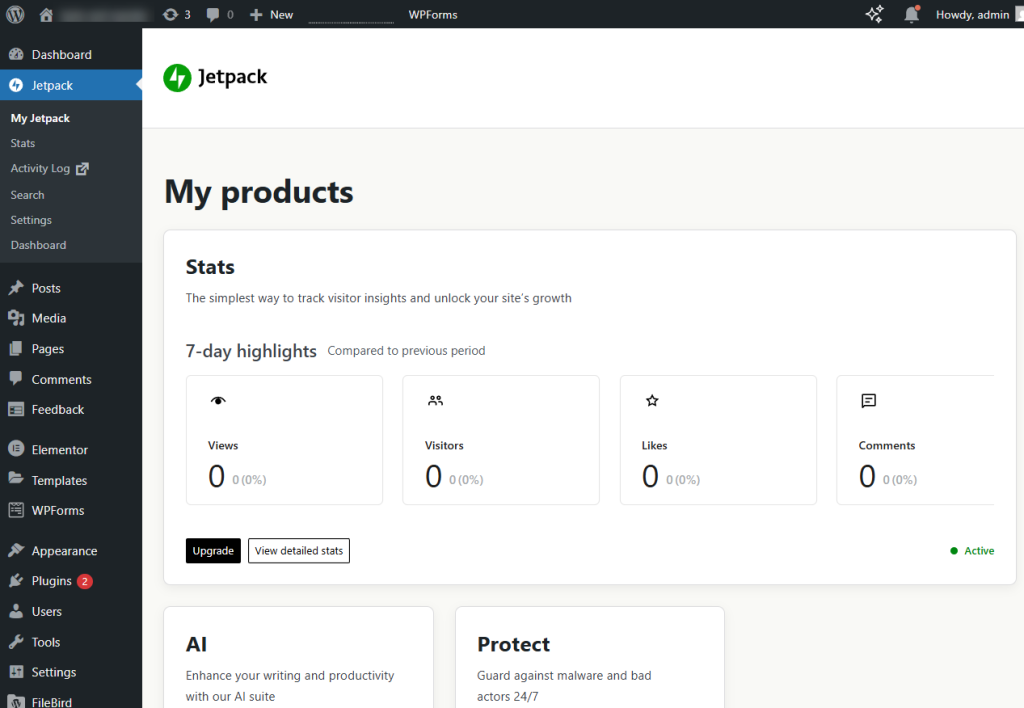
5) You can check that the jetpack plugin has been installed and activated on the site admin page.
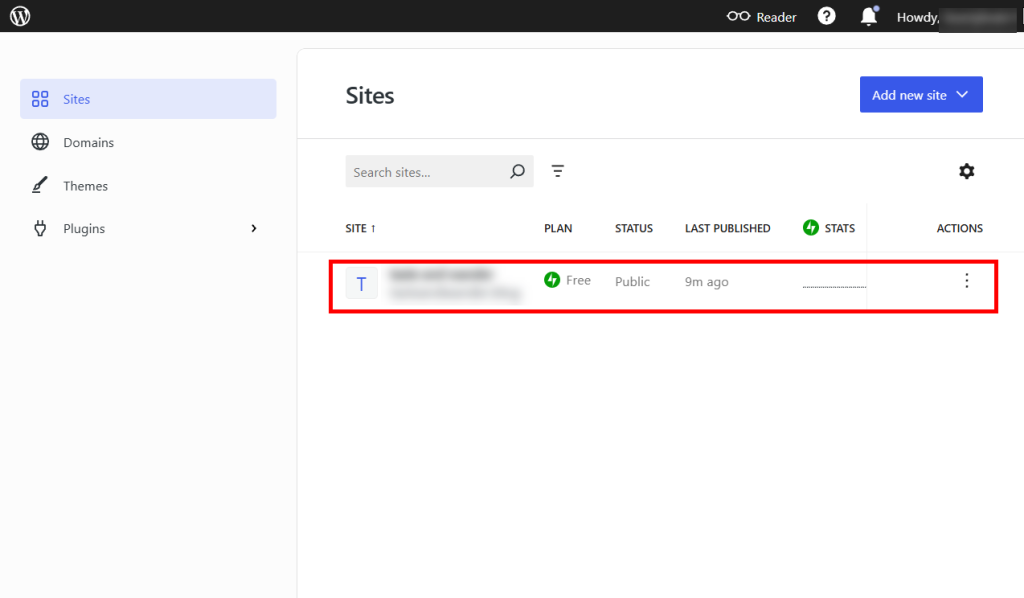
6) You can check that the WordPress account and the site are normally connected on the sites page of the WordPress homepage below.
![[WordPress]Sign up for Fastcomet and set up WordPress](https://inspired-learn-create.com/wp-content/uploads/2025/06/2025-01-26_15-28-08-1024x588.jpg)
![[WordPress] Setting Up Domain SSL (Auto SSL) on Fastcomet Web Hosting Site](https://inspired-learn-create.com/wp-content/uploads/2025/06/2025-01-26_17-34-40-1024x611.jpg)