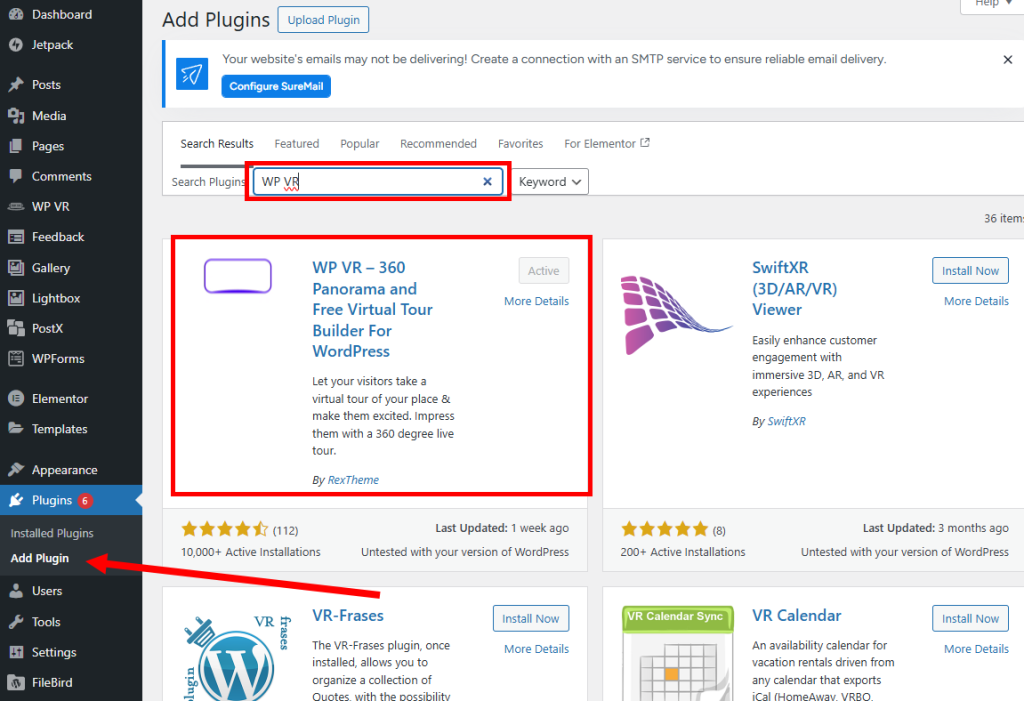
1) Search for WP VR plugin in Add plugin, install now, and activate (install now, activate)
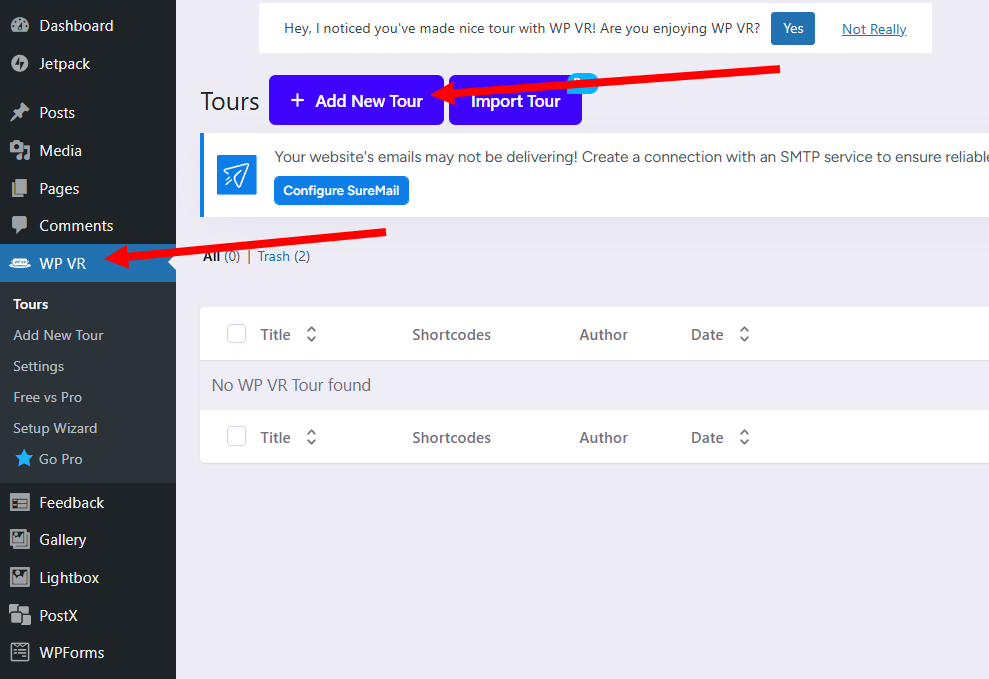
2) A new WP VR menu will appear on the left menu of the dashboard. Click add new tour.
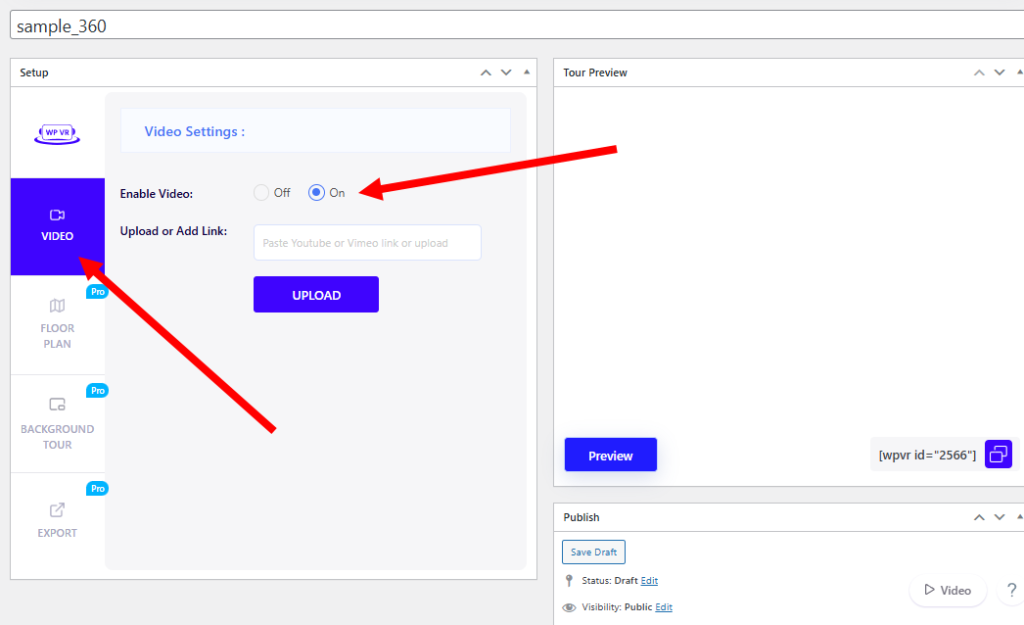
3) Enter a new tour title, select video, and check enable video.
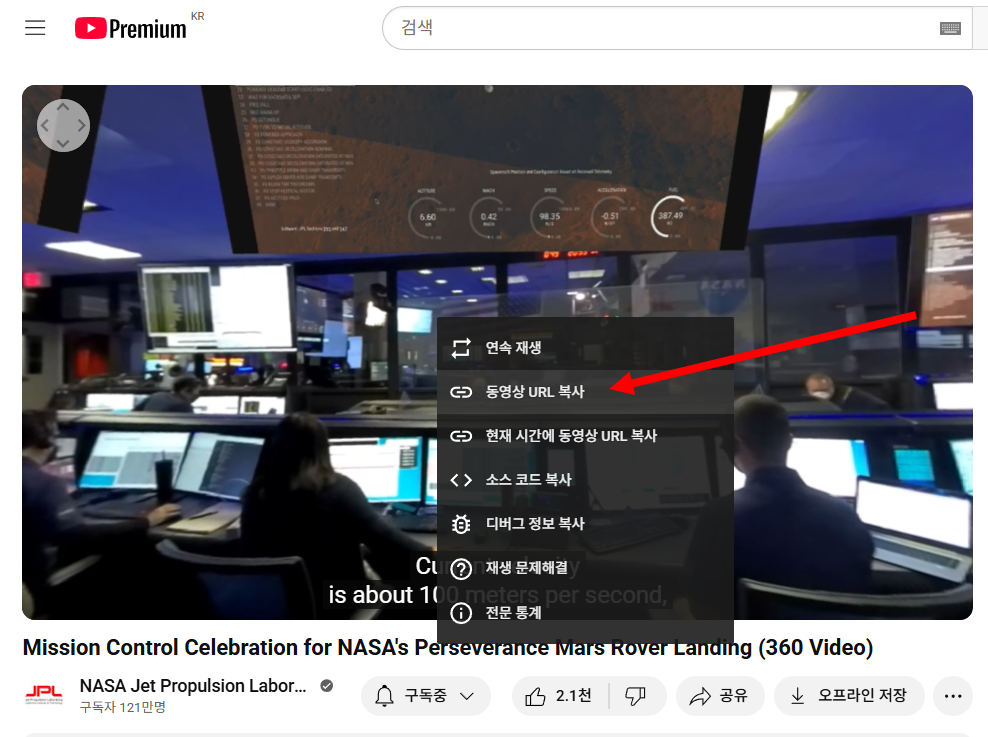
4) Copy the URL of the 360 video from YouTube.
5) Paste the copied video URL in upload and check the preview.

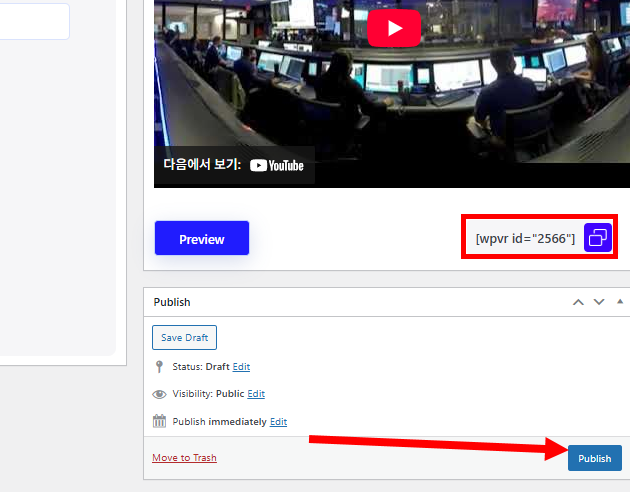
6) Check the WP VR ID and click publish.
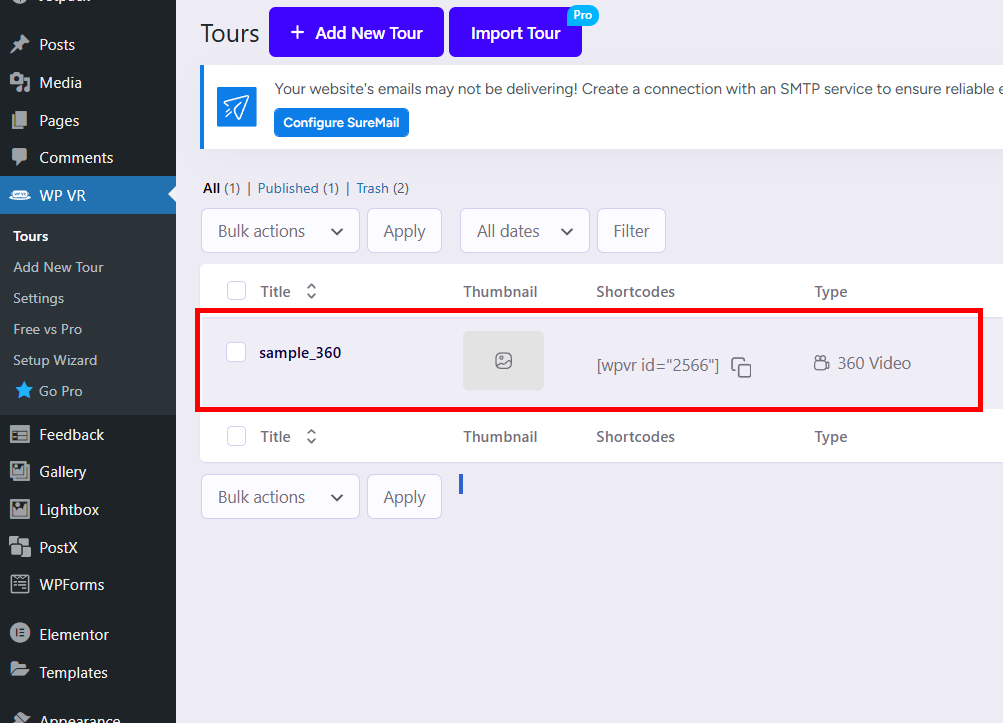
7) You can see that a new tour has been added and published.
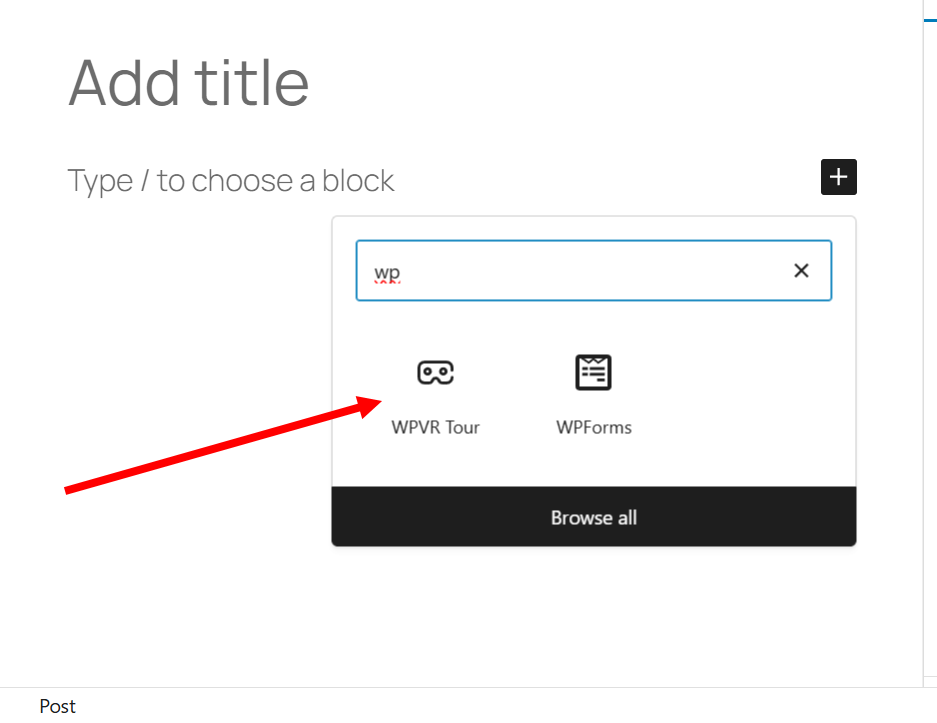
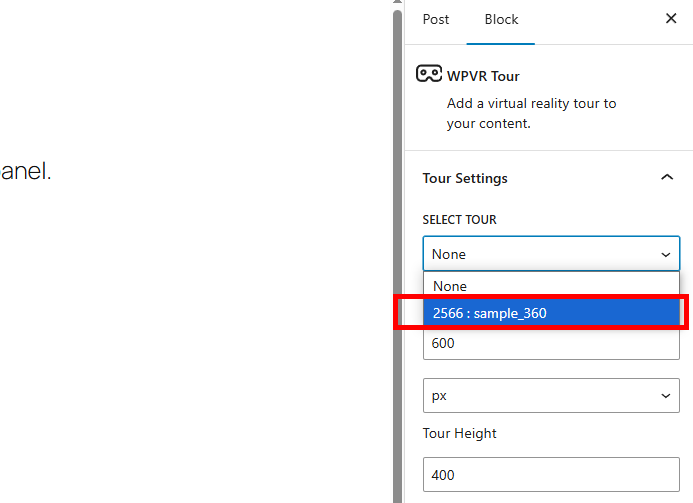
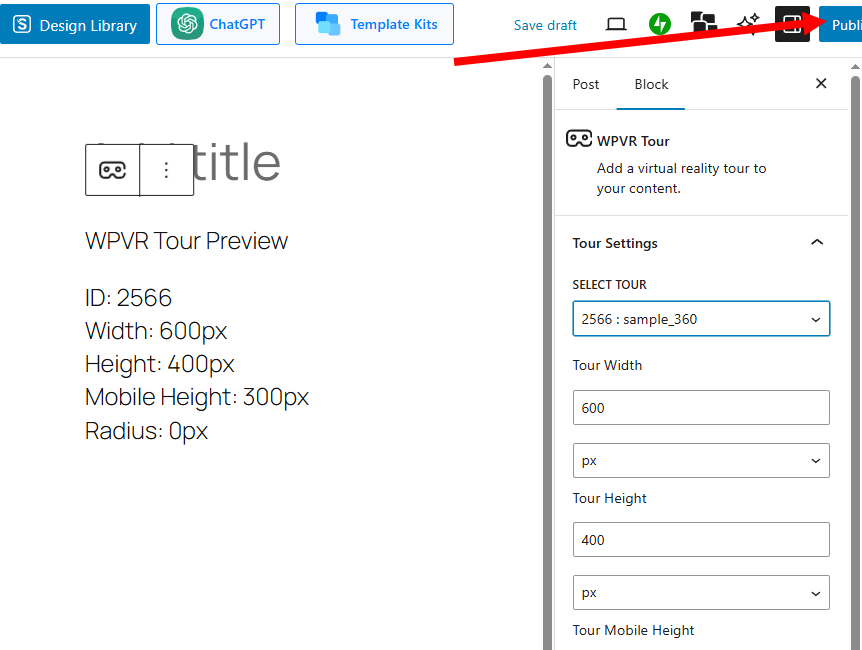
8) Add the WPVR Tour block to your post creation.
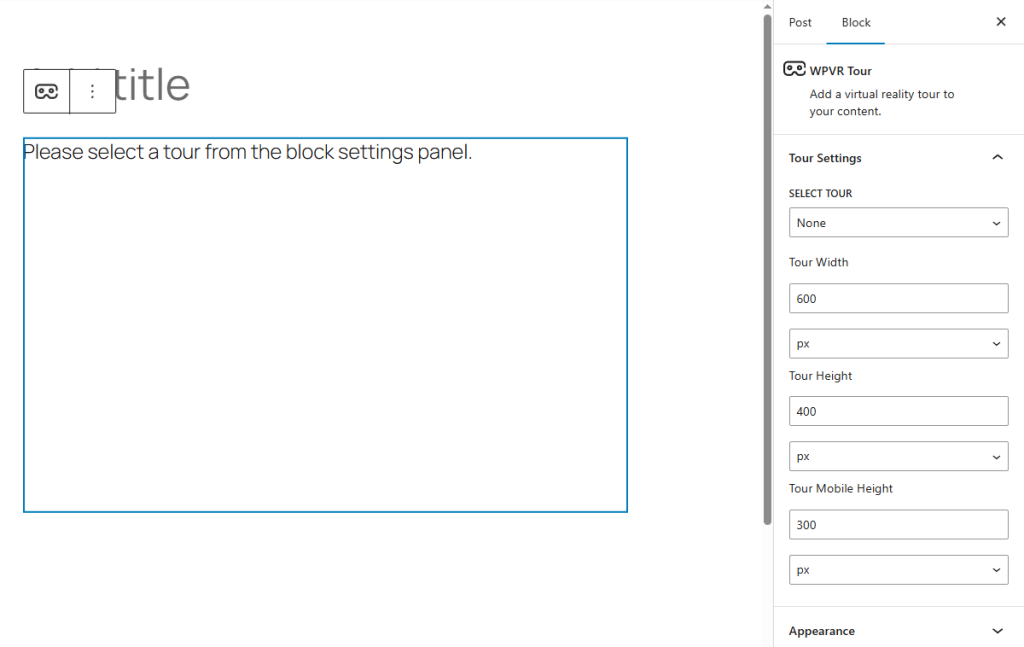
9) Select the tour ID on the right and click publish to publish the post.
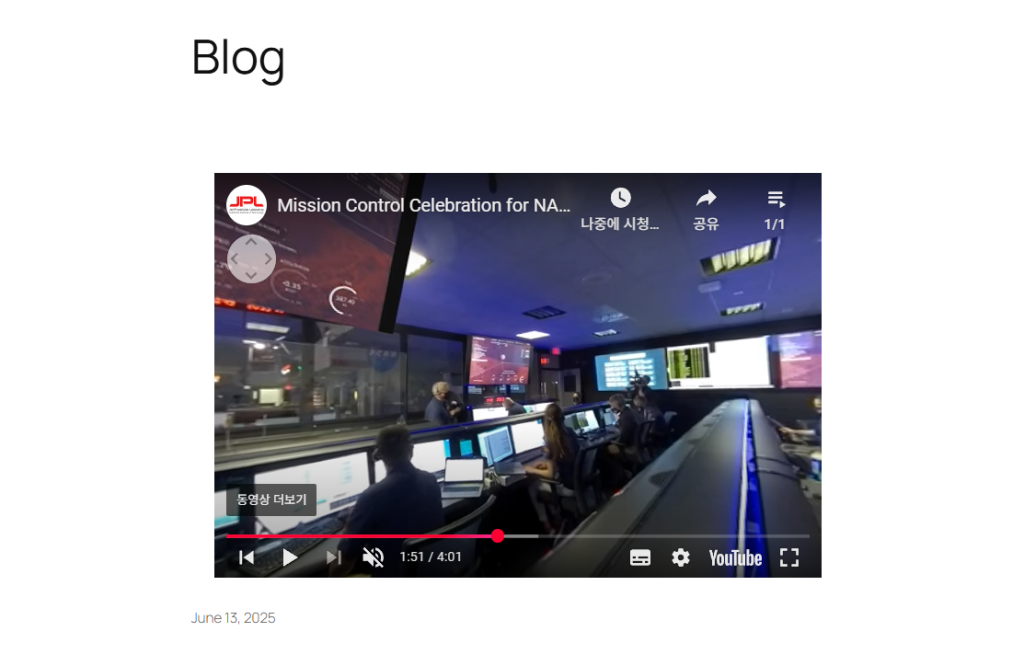
10) You can see that YouTube’s 360 videos are linked and displayed normally in the site view.
![[WordPress]Sign up for Fastcomet and set up WordPress](https://inspired-learn-create.com/wp-content/uploads/2025/06/2025-01-26_15-28-08-1024x588.jpg)
![[WordPress] Setting Up Domain SSL (Auto SSL) on Fastcomet Web Hosting Site](https://inspired-learn-create.com/wp-content/uploads/2025/06/2025-01-26_17-34-40-1024x611.jpg)