This tutorial guides you through the simple steps to add Scoped Registries and install packages in Unity.
When you add a scoped registry to your project, you can access that custom package collection in the Package Manager.
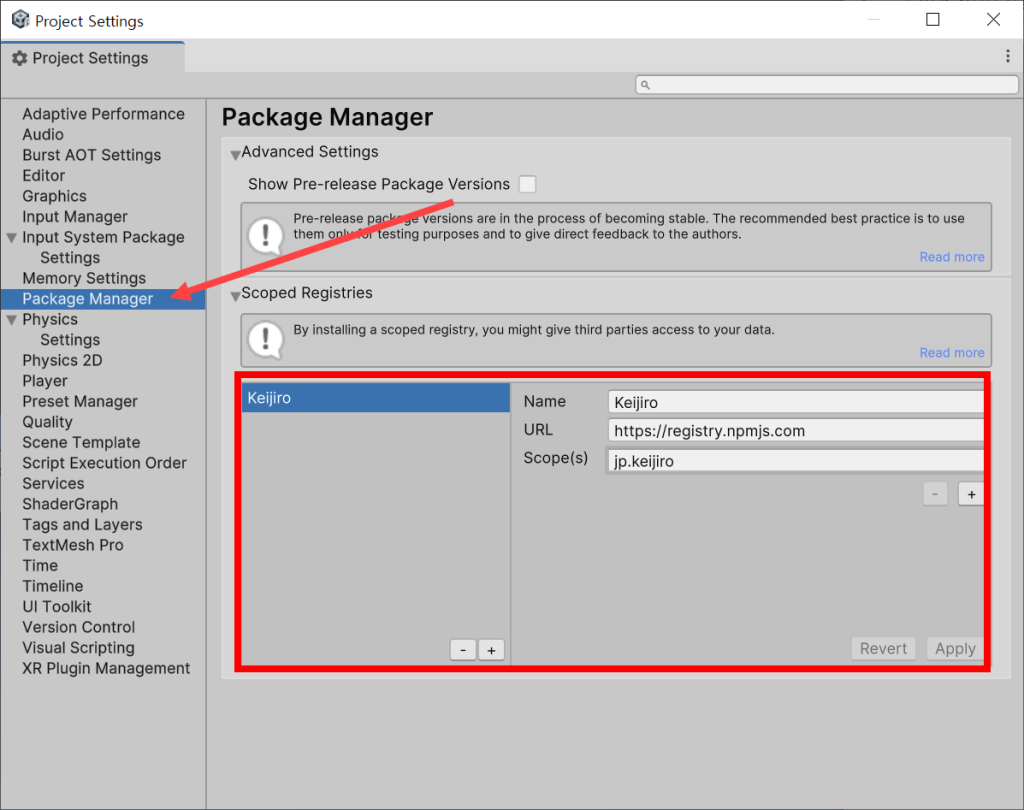
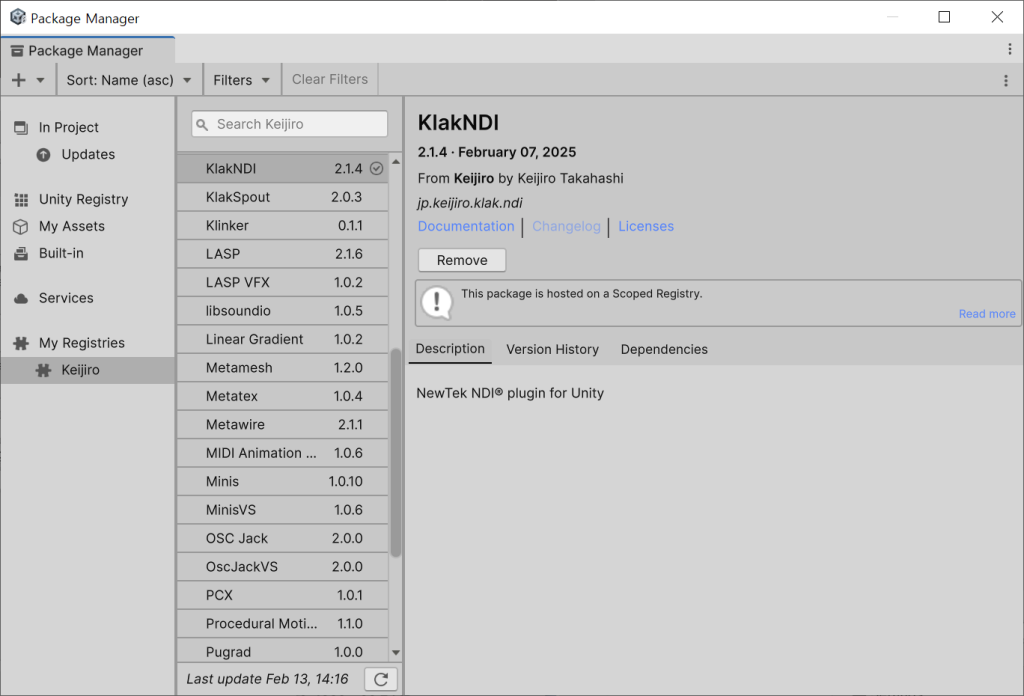
1) Enter the Scoped registry information (Name, URL, Scope) in the package manager of the project settings and apply it.
2) You can check the added registry in my registries of the Package Manager and install all public packages from that registry and package collection provider (Keiijiro).
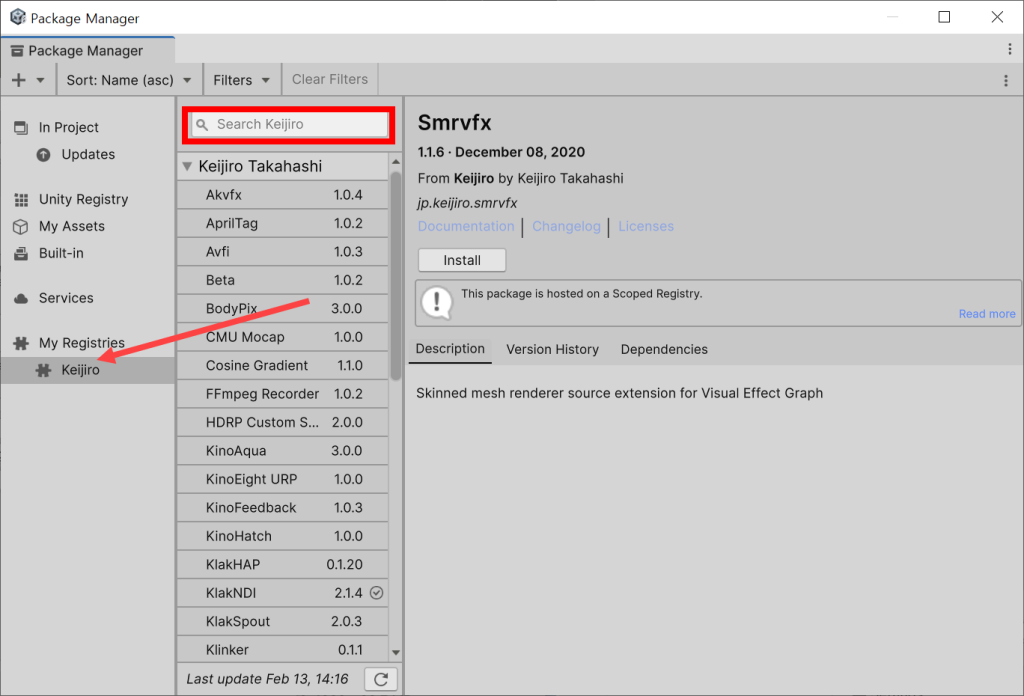
If the package is not displayed or is missing from the search,
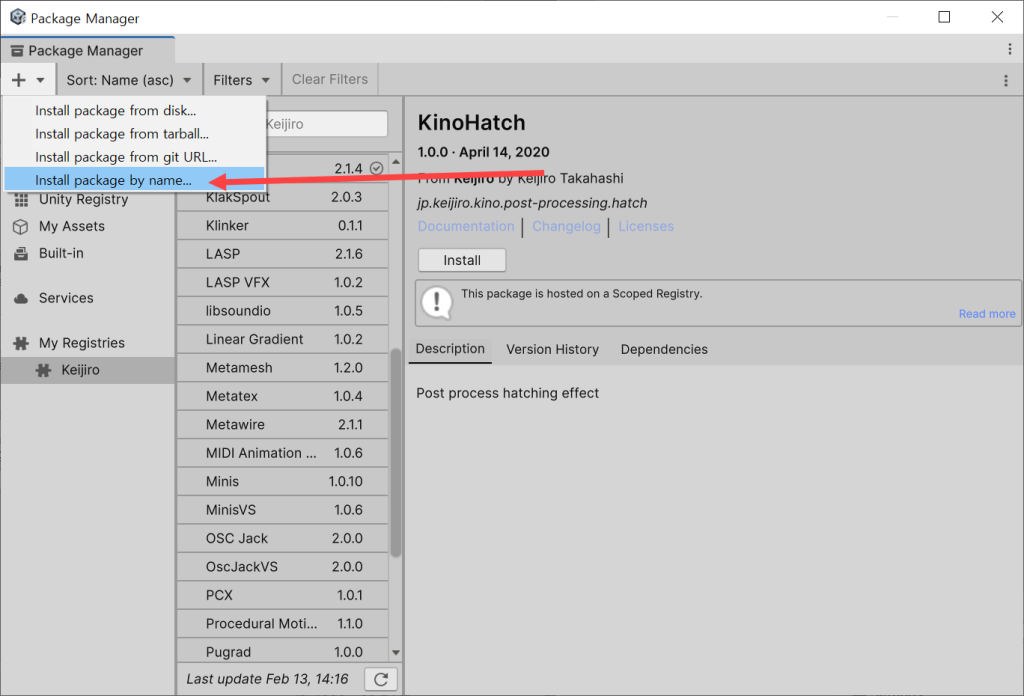
3) Select install package by name at the top left of the Package Manager.
4) Enter the package name and click install.
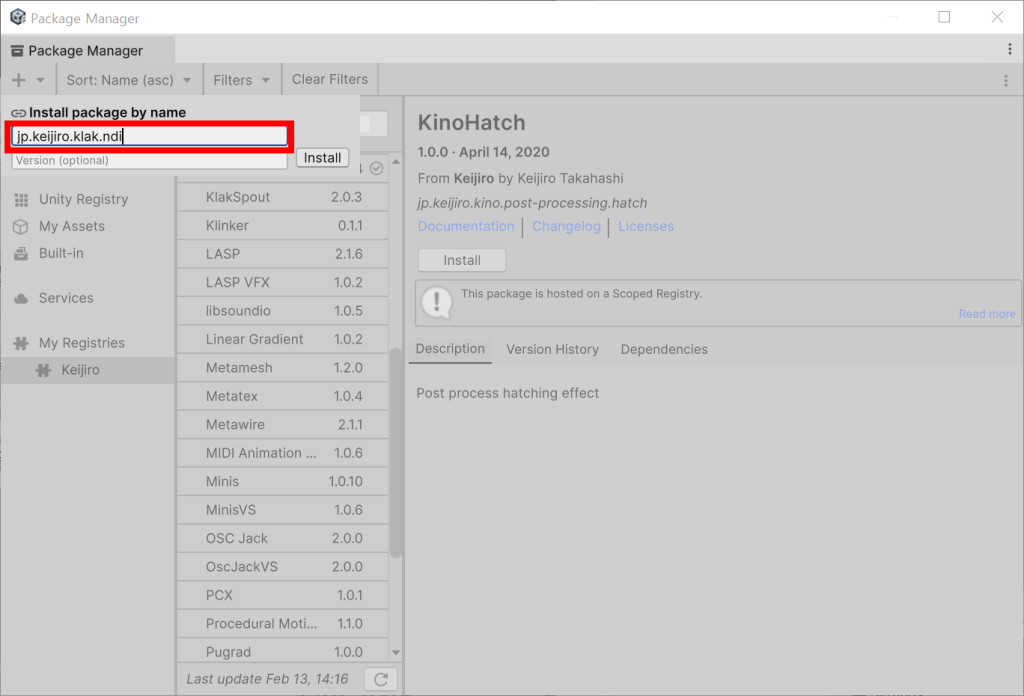
5) If the package exists and is available, you can install it normally.
Leave a Reply