NDI (Network Device Interface) is a video transmission protocol developed by NewTek that can be used to send video streams between devices over a local area network (LAN)
https://ndi.video/
This tutorial will walk you through sending a real-time video stream from Unity to madmapper using the KlakNDI package provided by Keijiro.
1) Install Keijiro’s KlakNDI package from the Package Manager.
https://github.com/keijiro/KlakNDI
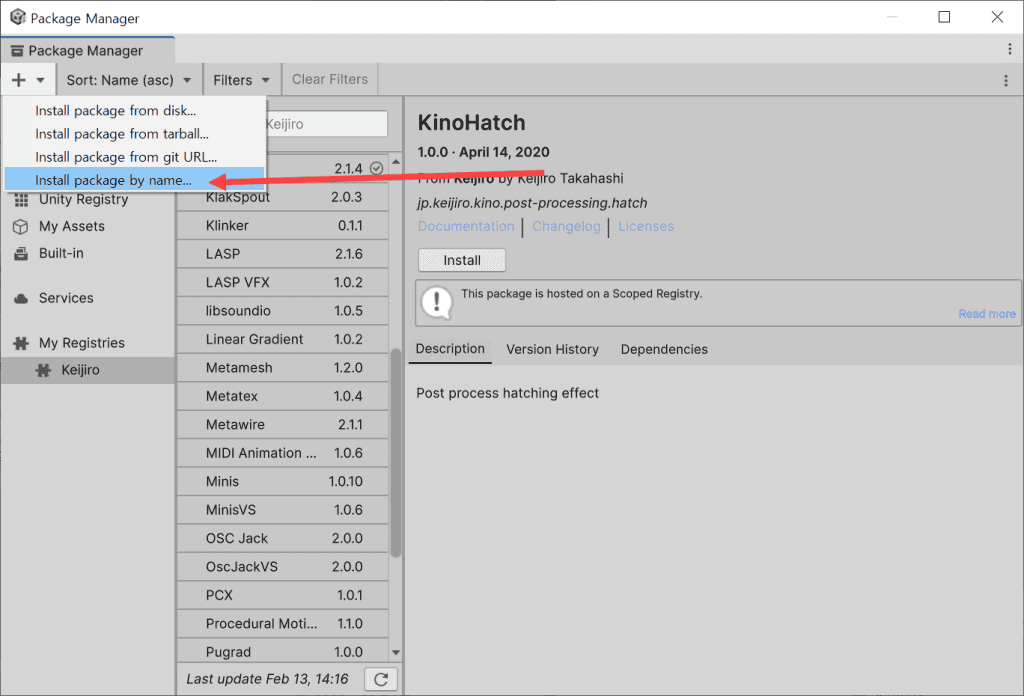
2) Select install package by name and search and install by package name.
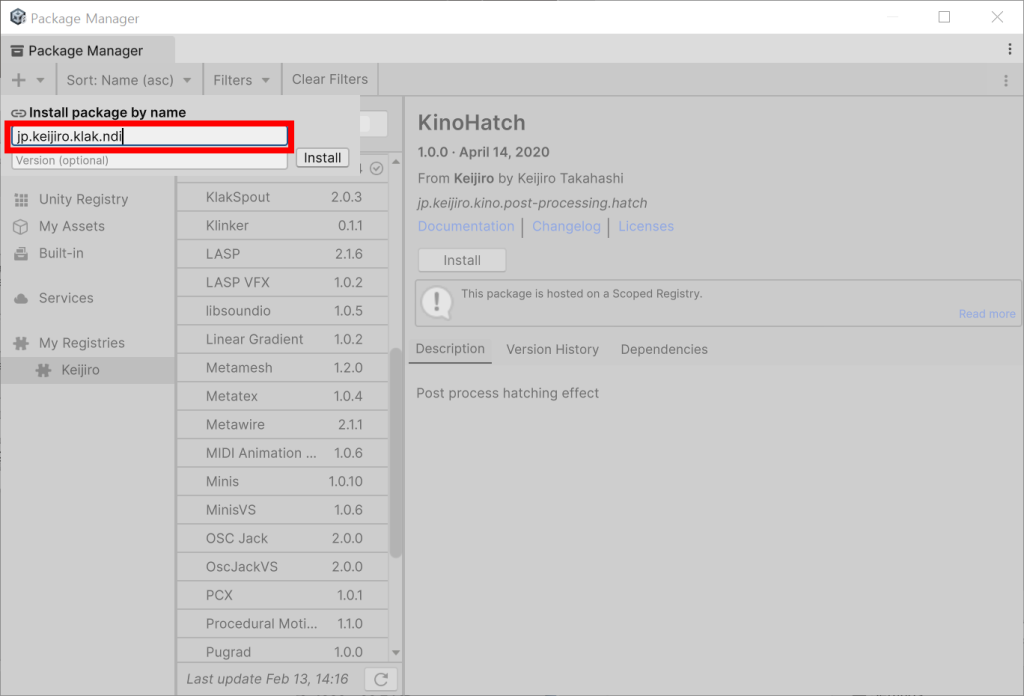
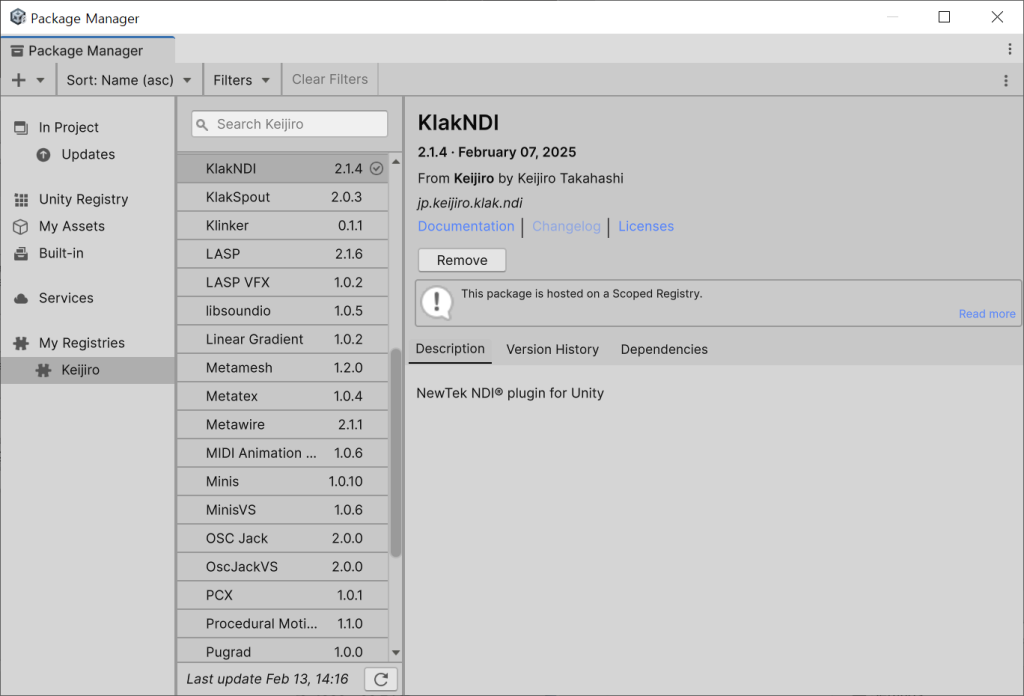
3) Configure the scene.
4) Add Ndi Sender (or Ndi Receiver) script to the game object.
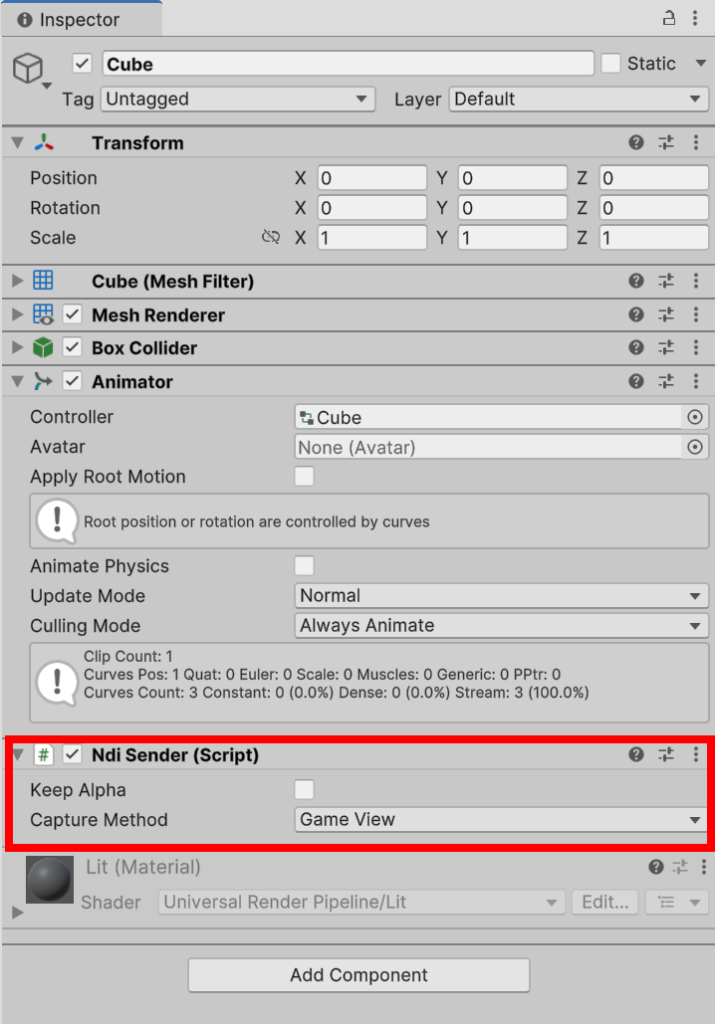
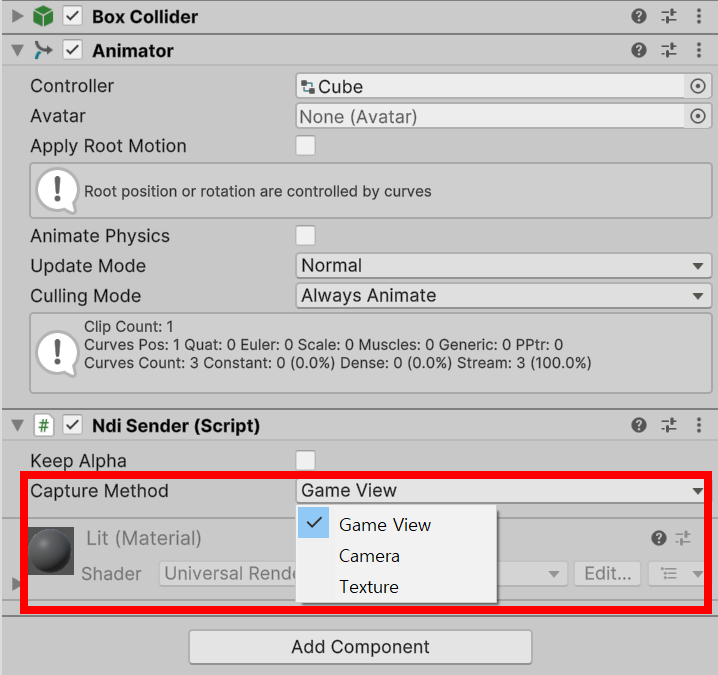
5) Select the video source to send to the video stream in Capture Method (game view, camera, texture). To send the game view, select Game View.
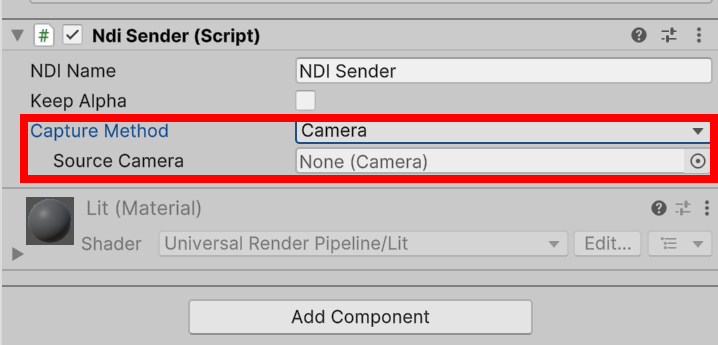
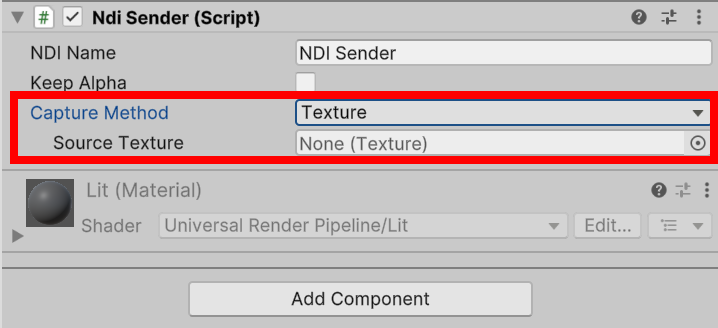
6) To send a camera or texture, select Camera (or Texture) and specify the source camera (or source texture).
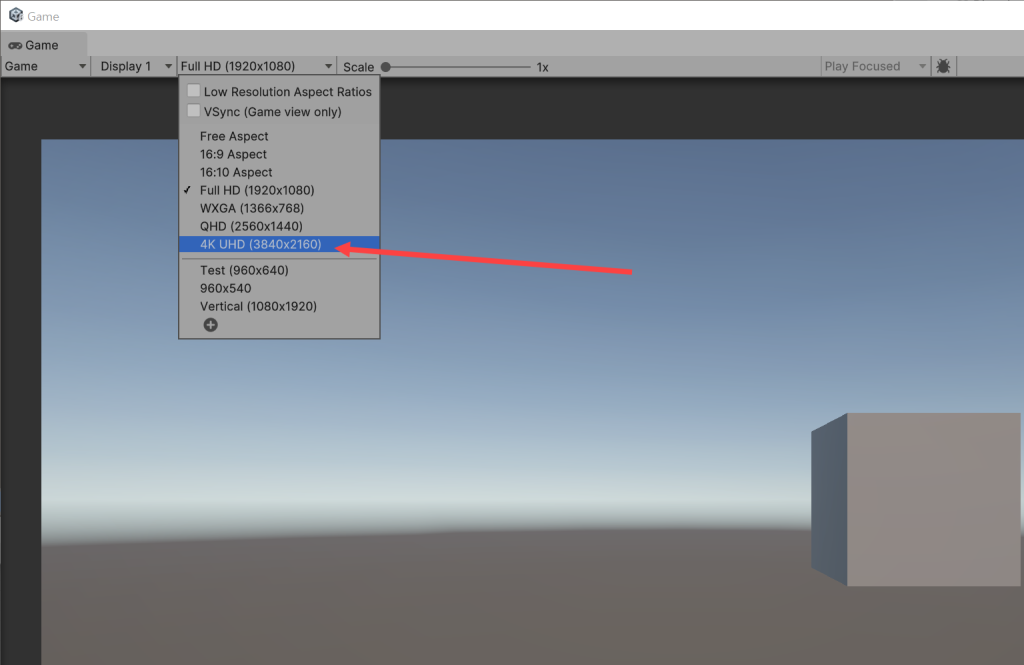
7) Set the resolution of the Game View when transmitting the Game View of the Unity Editor.
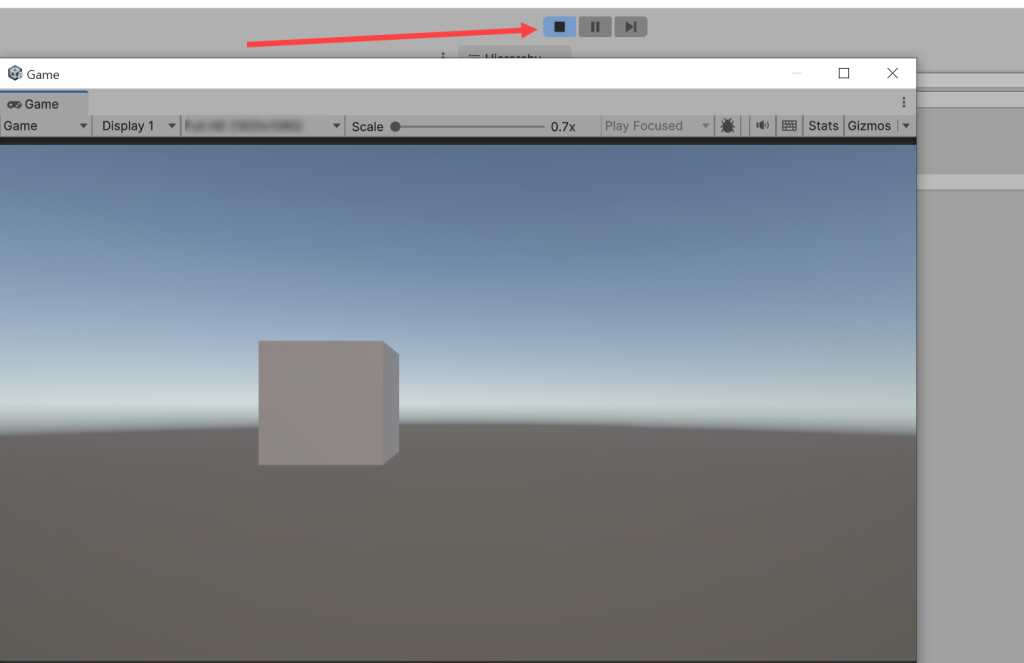
8) Run Madmapper and play the game in Unity.
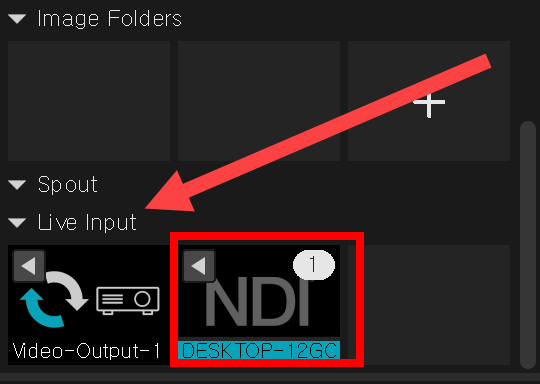
9) You can check NDI in the Live Input of the Madmapper Media Panel and check the video being transmitted in real time in the View Panel.

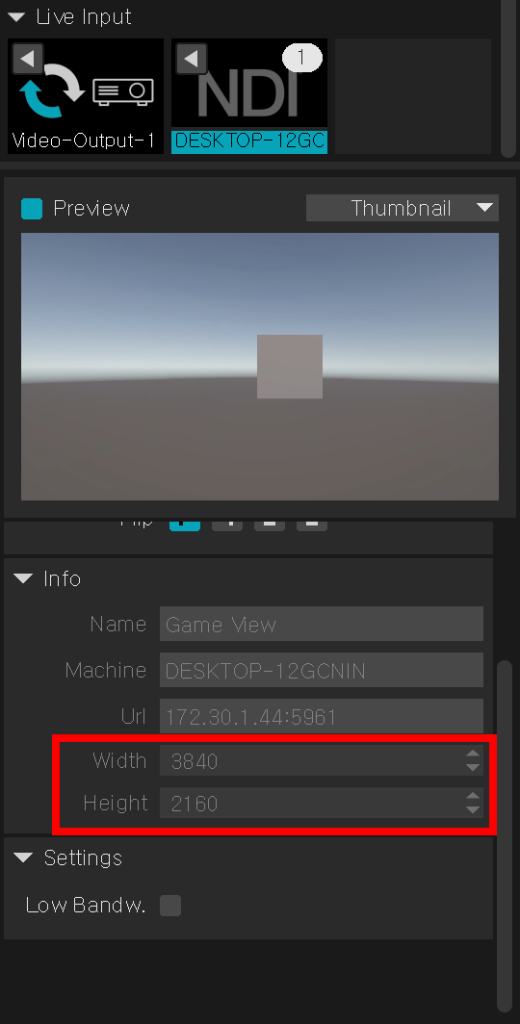
10) Display the video information (Info) at the bottom of the preview (Device, URI, Resolution)

![[Unity Game Dev] Adding Scoped Registries and Installing Packages in Unity](https://inspired-learn-create.com/wp-content/uploads/2025/06/2025-02-13_14-21-25-1024x810.png)
![[Unity] Volumetric Lighting Effect in URP Project (Unity-URP-Volumetric-Light Package)](https://inspired-learn-create.com/wp-content/uploads/2025/06/2025-03-20_10-43-29-1024x592.jpg)